Safety Alert System
Overview
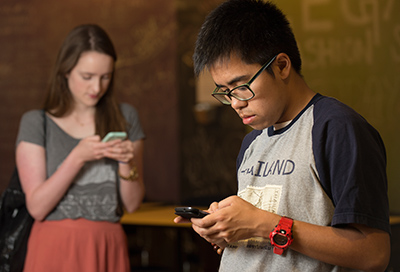
The Safety Alert System is an emergency messaging system that can send alerts to phones, email addresses, and text/SMS and TTY/TDD devices. The Safety Alert System also sends desktop alerts to campus-owned computers through desktop notifications. The Safety Alert System will be used only for emergency communication purposes and never for routine communications.
The university tests the Safety Alert System once a semester. In the fall during the Great Shakeout, and in the spring during the Campuswide Building Evacuation Drill.
UPDATING CONTACT INFORMATION
Where did you get my contact information?
All faculty, staff and students are automatically enrolled to receive emergency messages. The Safety Alert System uses contact information from the BroncoDirect database. It is university policy that we have a current main phone number for every faculty, staff and student. Email is the official communication vehicle for the university. Updates can be made by visiting BroncoDirect.
How do I update my contact information?
Log into BroncoDirect and update your personal data. The university will refresh contact information for the Safety Alert System regularly. BroncoDirect can be used for employees at the university, Foundation, ASI and credit union.
TEXT MESSAGES
Why should I provide my cell phone number?
Cell phone text messages reach participants faster than phone calls and emails. In a campus emergency, we need to reach you as soon as possible. By sending a text message or calling your cell phone, we can send you emergency information whether you are at home or on campus.
What does it cost to get the Safety Alert System messages?
The only cost is the amount your cell phone company may charge you to receive a text message or phone call.
What are the consequences of not providing my cell phone number?
Providing your cell phone number is not mandatory. However, Safety Alert messages will generally be urgent and time sensitive. Providing us more options to reach you, such as calling your cell phone or sending a text message, increases our ability to communicate important information in the event of an emergency.
Why did I get a confirmation text message? Was this the message?
Rave, the company that Cal Poly Pomona uses to send out the messages, is required to activate the SMS system with a simple confirmation message BEFORE anyone receives a message.
Why did my cell phone carrier send me a message confirming a subscription?
Some mobile phone service providers will confirm that you want to receive text messages from the Cal Poly Pomona Safety Alert System the first time you receive a Safety Alert message. Follow the text message instructions, and then the Safety Alert text message will be delivered.
TESTING
Why test the Safety Alert System?
The university must test the Safety Alert System to ensure it is functioning properly and to familiarize the campus community with this important emergency communication vehicle. Campuswide tests are held once each Semester.
When is the Safety Alert System tested?
The university tests the Safety Alert System the once a semester. In the fall the System is tested as part of the Great ShakeOut Earthquake Drill and in the Spring as part of the Campus Wide Building Evacuation Drill.
INFORMACAST
What is InformaCast?
The InformaCast System is what the university uses to deliver emergency communications through campus telephones in offices and classrooms.
DESKTOP NOTIFICATIONS
What are CPP Safety Alert desktop notifications?
The desktop notification system, also called CPP Safe, sends full-screen safety messages to campus-owned computers equipped. During a safety alert test — or in the event of a real emergency — a safety message will “pop-up” on all campus-owned computers. It also produces an audible alarm when a notification is received while the computer is locked, helping to ensure that users do not miss critical alerts.
A pilot study demonstrated that desktop notifications can arrive on computers faster than messages to campus phones or email. This is another tool to help ensure that you are aware of what is happening in case of an emergency.
What is the CPP Safe Panic Button?
In addition to delivering Safety Alert notifications, the CPP Safe software includes a “panic button” feature, represented by an icon located at the bottom-right corner of the screen. By clicking on the CPP Safe icon three times and providing pertinent information, users can report an emergency to UPD through the computer.
Which computers receive a desktop alert?
All campus-owned computers in classrooms, computer labs and faculty/staff offices should have the CPP Safe notification software and panic button feature installed.
Alerts will only appear if the computer is on the campus network and in an active state.
CPP Safe Computer Software (available September 6th, 2026)
The desktop software will automatically install on all university-managed Mac and PC computers, replacing the previous Alertus system. Like its predecessor, the CPP Safe desktop software delivers Safety Alert System notifications through on-screen pop-ups, providing timely information during campus emergencies. It also produces an audible alarm when a notification is received while the computer is locked, helping to ensure that users do not miss critical alerts.
The software also includes a new “panic button,” represented by an icon located at the bottom-right corner of the screen. By clicking on the CPP Safe icon three times and providing pertinent information, users can report an emergency to UPD through the computer
CPP SAFE MOBILE APP
What is the CPP Safe Mobile app?
CPP Safe is the official public safety app of Cal Poly Pomona and integrates with CPP’s Safety Alert System. The app provides students, faculty, and staff with added safety and emergency preparedness options. The app will send important safety alerts and provide access to campus safety resources. The app is available beginning May 1, 2026 for Apple and Android devices.
What are the features of the CPP Safe mobile app?
Students, faculty and staff can log in with their Cal Poly Pomona credentials to access key app features, including:
- When the university’s Safety Alert System is activated during a campus emergency, the app will push safety messages to your phone.
- Mobile Bluelight sends your location to UPD when you activate it during a crisis. You can also be connected to dispatch by pressing the call button once you have activated Mobile Bluelight.
- Friend Walk allows you to share your location with a trusted contact until you reach your destination.
Functions launghing September 6th, 2026:
- Virtual WalkHome: allows UPD to temporarily monitor your movements across campus.
- Tip Reporting and in-app chat allow users to report concerns or communicate directly with UPD. The mobile app also delivers push notifications during campus emergencies, ensuring users receive updates wherever they are.
How do I access the CPP Safe mobile app?
The app is available on Apple’s App Store and Google Play for Android devices. It is available for Cal Poly Pomona students, faculty, and staff. Visitors can also create a visitor/guest account.
THE SYSTEM
What is Rave?
Rave is a service that Cal Poly Pomona has contracted to support the university’s Safety Alert System. This system sends the mass-alert messages to your phones, emails and text devices.
What are Desktop notifications?
The computer notification system, also called CPP Safe, sends full-screen safety messages to campus-owned computers. These notifications are sent via the Safety Alert System. If you are using a campus computer and do not receive a desktop message during the test, visit IT Help page and submit a Service Desk ticket.
How will I know a message is really from Cal Poly Pomona’s Safety Alert System?
Messages from the Safety Alert System will have the ID 23177 or 63079 on text messages, (866) 869-7659 on phone messages and Cal Poly Pomona Safety Alert at safetyalert@cpp.edu on email messages. The campus community is encouraged to add these contacts to their cell phones under Cal Poly Pomona Safety Alert.
TROUBLESHOOTING
Why didn’t I receive a text message?  First, log into the BroncoDirect and check the data under “Phone Numbers.” Make sure your cell phone is listed under the Phone Type called “Cellular.” Even if you have your cell phone entered under another phone type, the system will not know that number can accept text/SMS messages. For assistance, call the Help Desk at (909) 869-6776.
Why didn’t I receive a Safety Alert message?
The university conducts tests of the Safety Alert System once each semester. All contact information is culled from BroncoDirect. Log into BroncoDirect and make sure you include all your contact information in the fields provided. If you want to receive text messages, make sure your cell phone number is in the field “cellular” or “mobile.”
If the correct information was already in BroncoDirect, but you did not receive a test message, please call the Help Desk at (909) 869-6776 so we can resolve the issue.
How do I opt out?
You can opt out of receiving cell and text messages by eliminating that number in BroncoDirect. However, we strongly advise against that. It is important that we have every option available to reach you in time of a crisis. You cannot opt out of a primary phone number or your email.
Can I opt out of just receiving text messages?
Yes, just follow the instructions when you receive your text message. However, we strongly advise against that. It is important that we have every option available to reach you in time of a crisis.