Unit Signature Instructions
Introduction
A unit signature is a branded label for a site's pages.
This tutorial will show you how to add one to your Cascade site/pages.
Unit Signature
Learn about adding a unit signature to your Cascade page.
IMPORTANT: You must republish all pages under the site folder to reflect your changes.
First, navigate to the site you want to add a unit signature to, and press View folder.

This window should pop up. Under the Metadata tab, fill in the Title and College/Department Sub Header. If both header settings are enabled, the Title will display below, and the College/Department Sub Header will display above.
Style 1
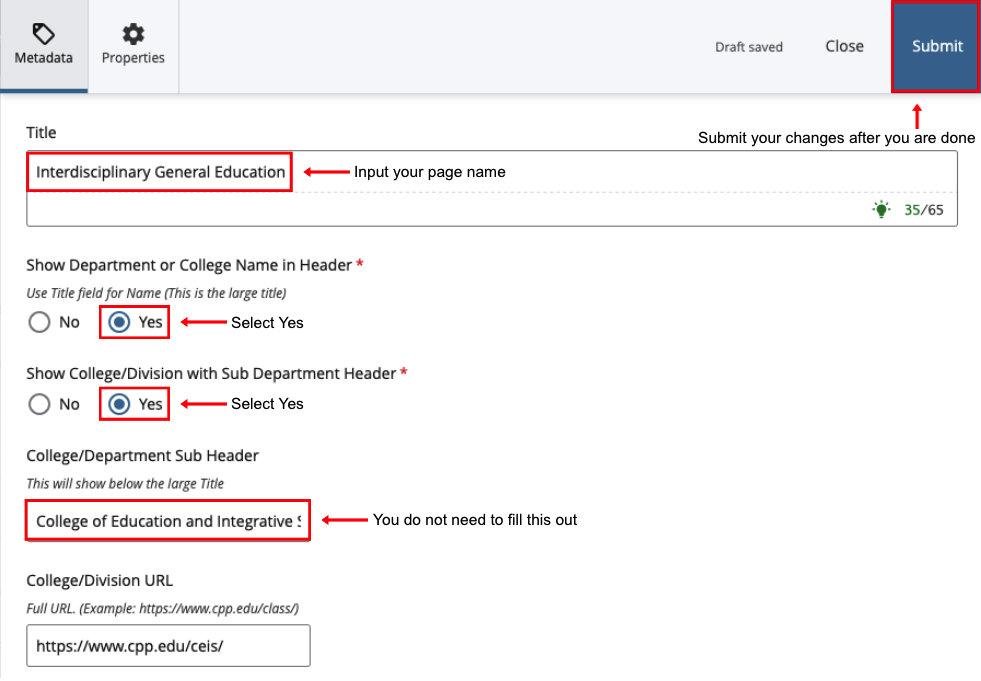
Style 2
If you only want to display the page name, similar to how it appears in the heading for this tutorial site, use these settings instead.
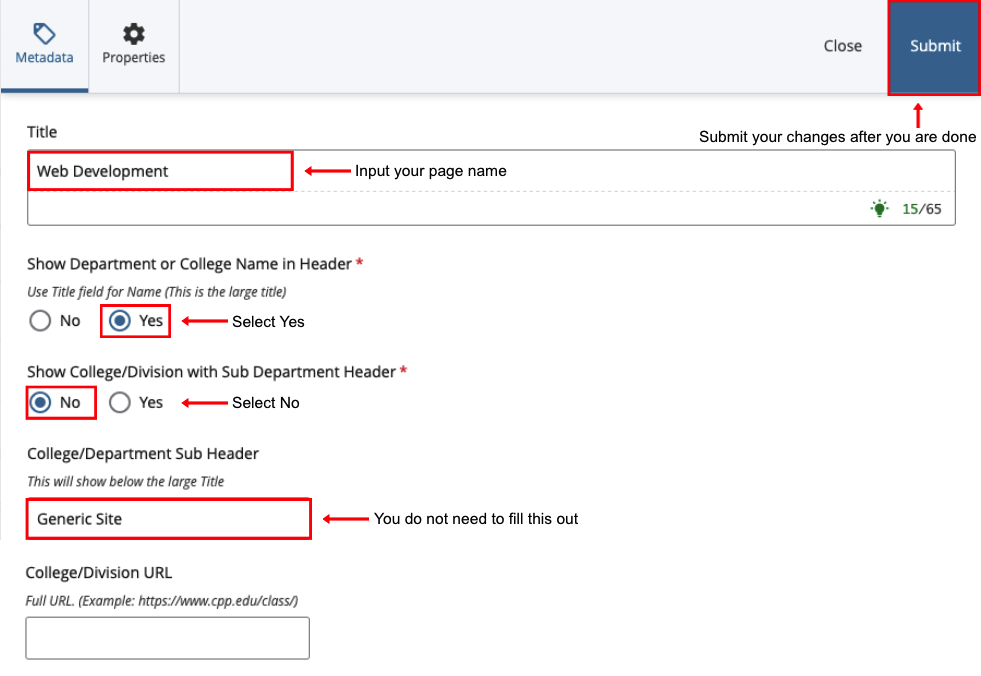
IMPORTANT: You must republish all pages under the site folder to reflect your changes.
Whenever you make changes to the unit signature, you must republish all pages under the site folder. This is so the changes reflect on each associated page.
If you need help learning how to (re)publish pages, refer to the Submit Content tutorial.
If there are too many pages you need help with republishing, please submit a ticket to IT for assistance.