Adding Brand New Organizational Chart
Organizational Chart Instructions
Step 1
Search for the “marketplace” site in Cascade using the top search bar, then select the Org Chart module from the left-hand menu.
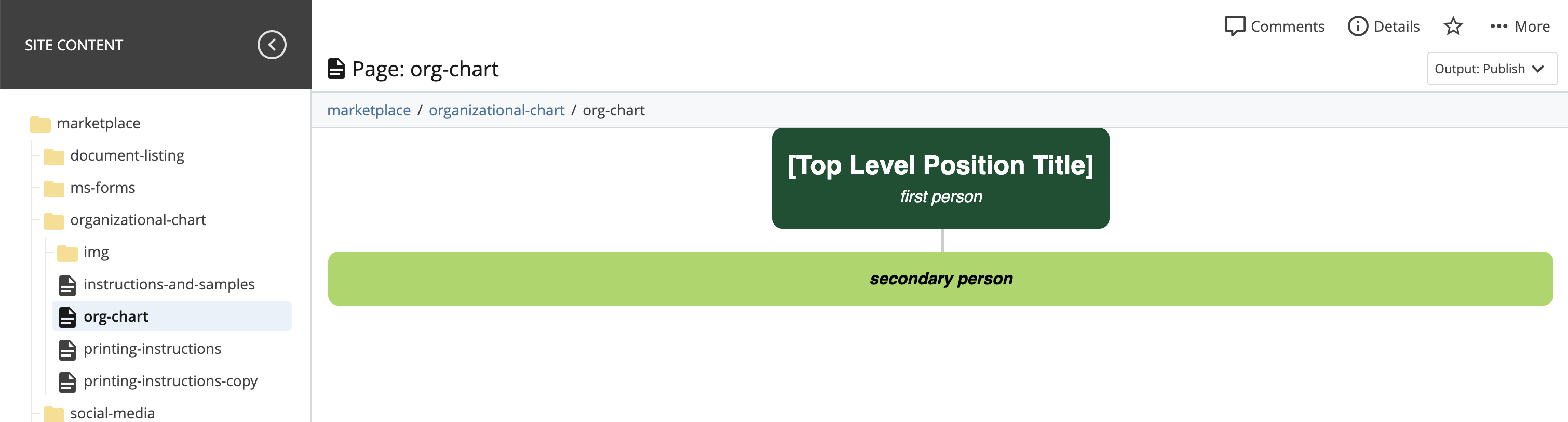
Step 2
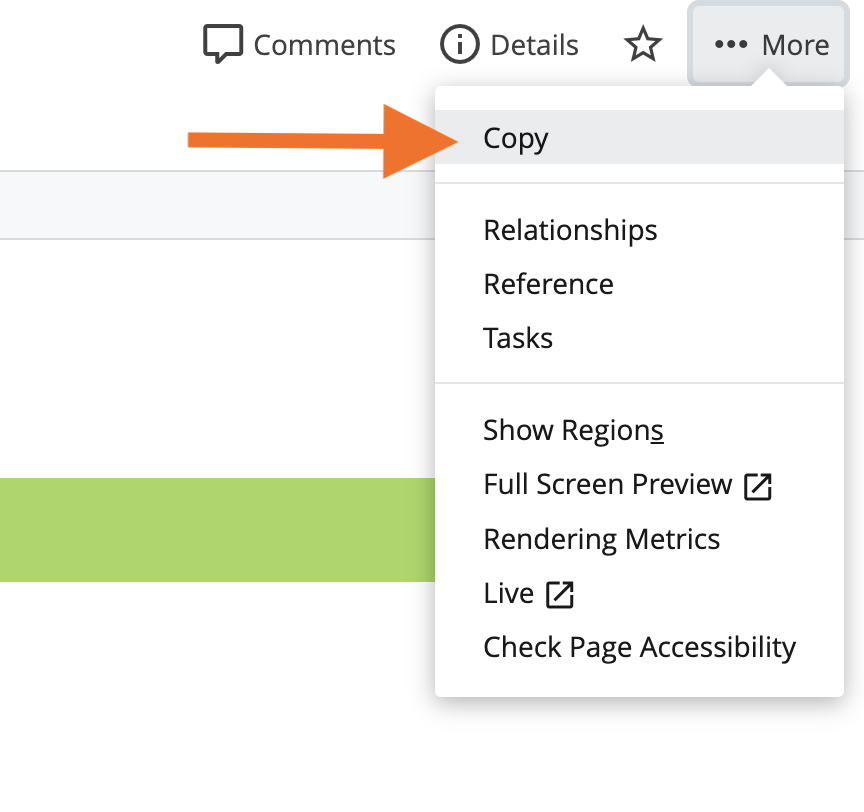
Click on the more menu and choose copy.
Step 3
Choose the site and folder you want to copy the module to.
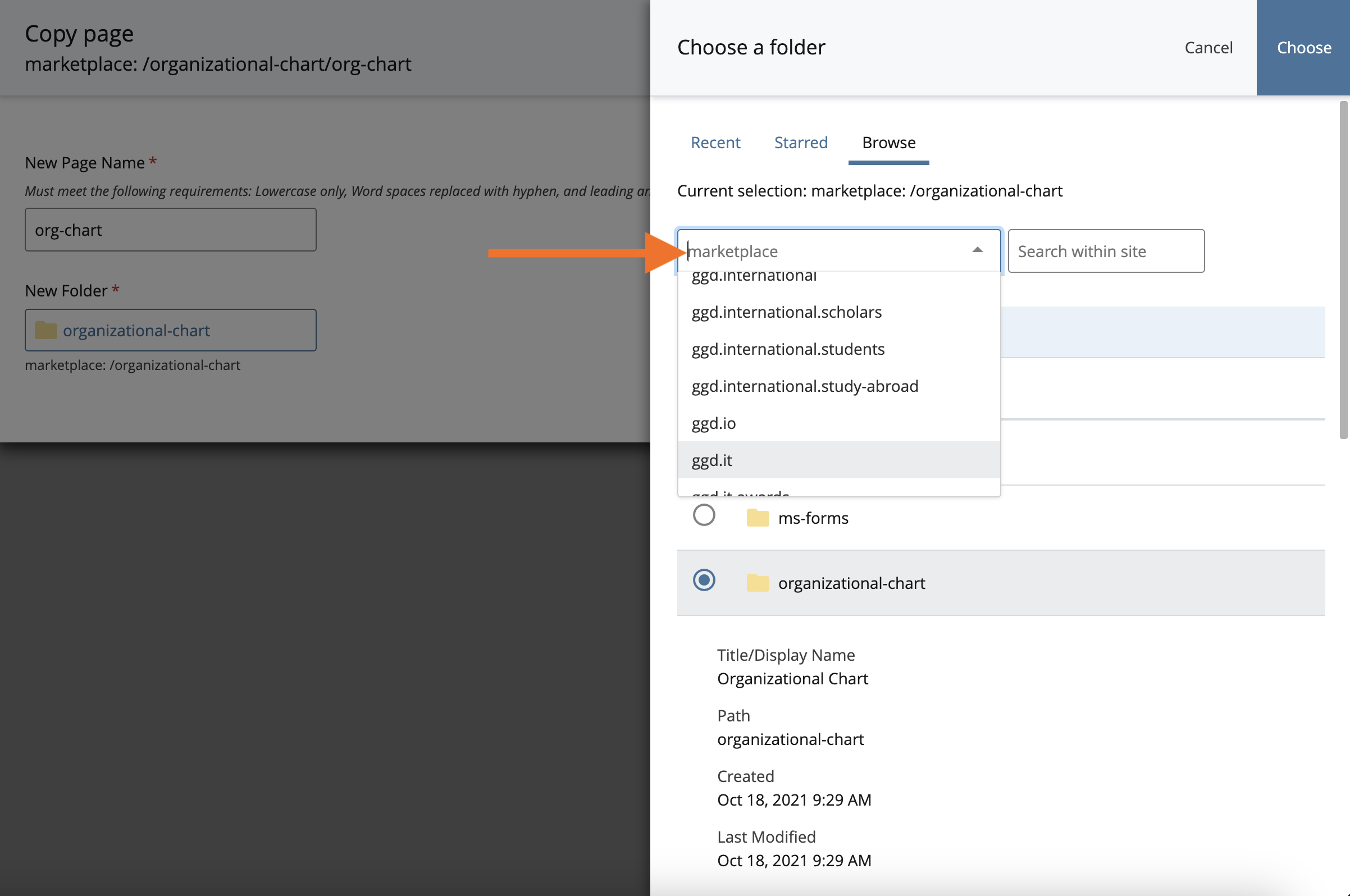
Step 4
Start workflow.
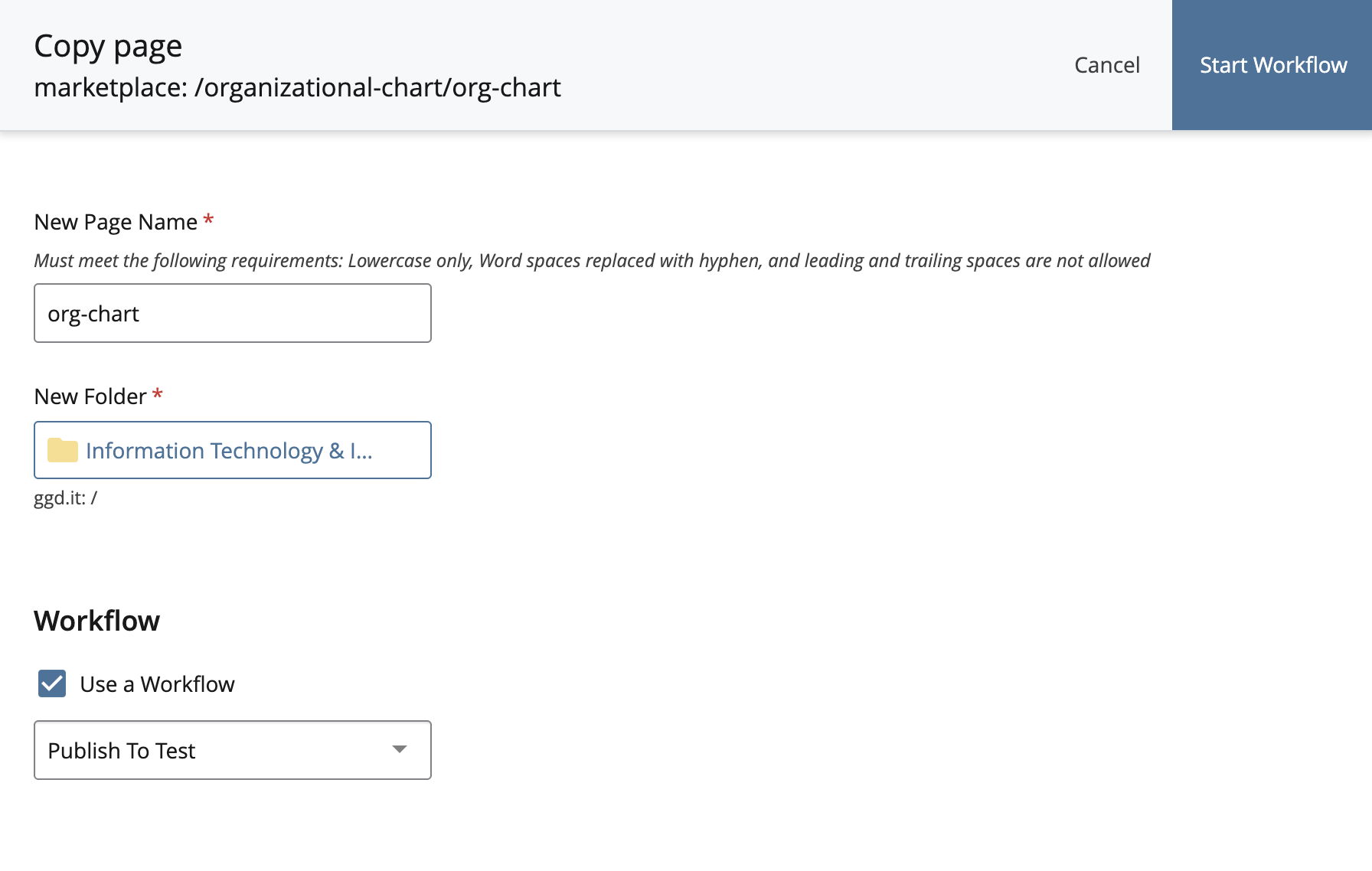
Step 5
Complete workflow.
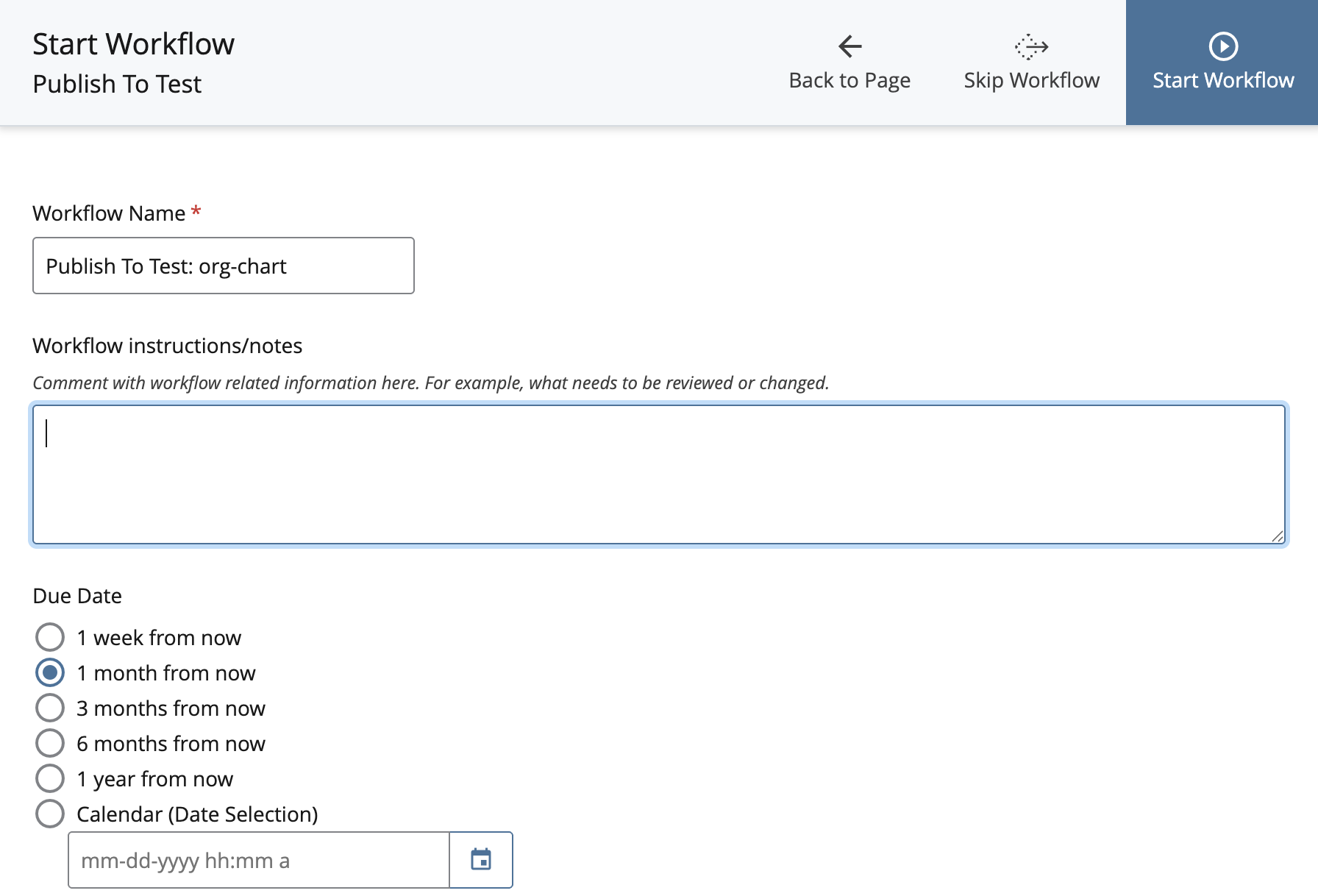
Finished
You can now edit the module in your own site.
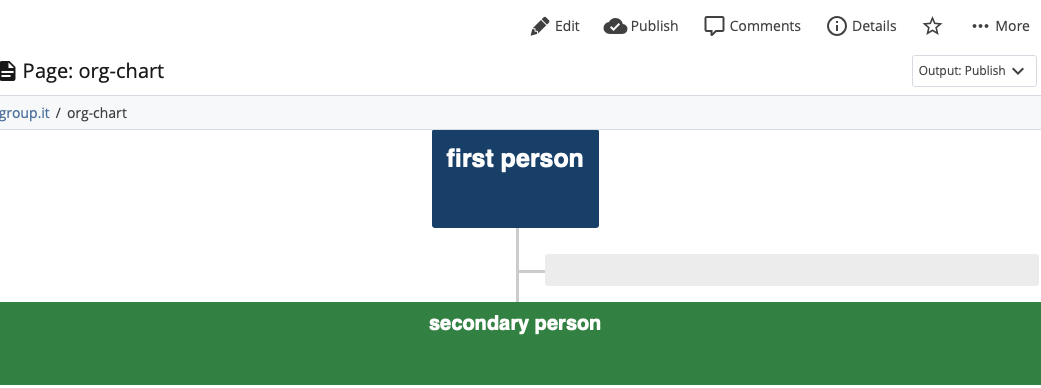
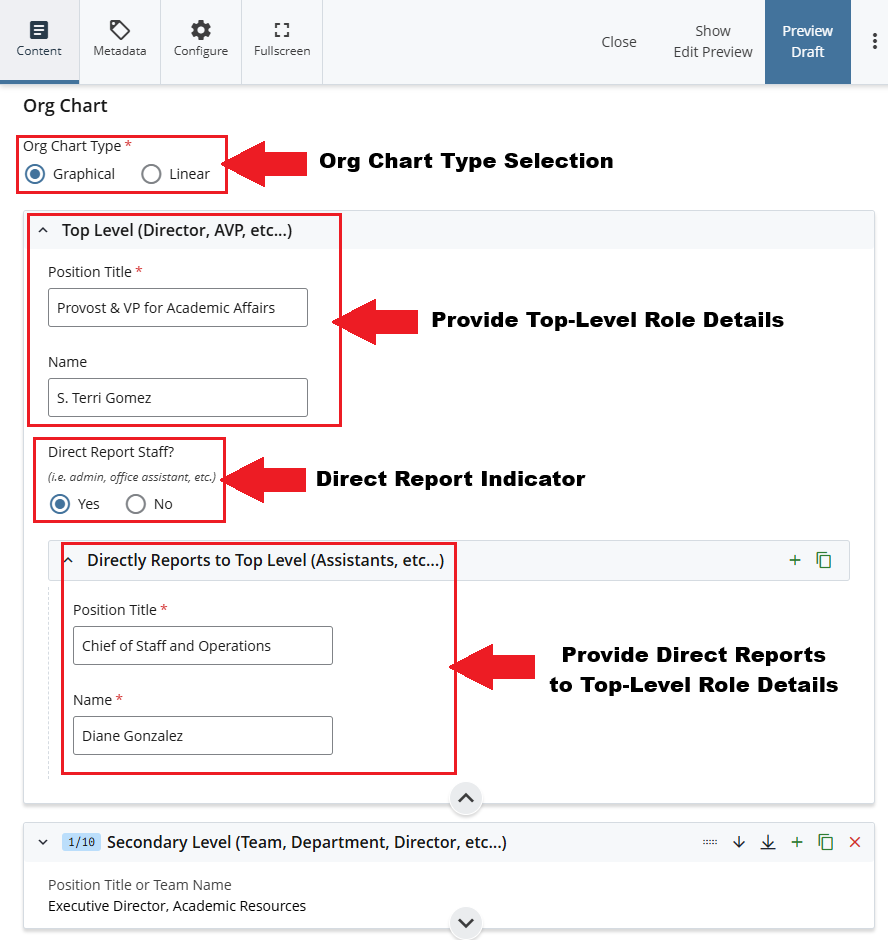
For this section, you'll need:
- Role Title and Role Holder Name for Top Level Position Title and Name
- Role Title and Role Holder Name for Direct Report Position Title and Name (Optional)
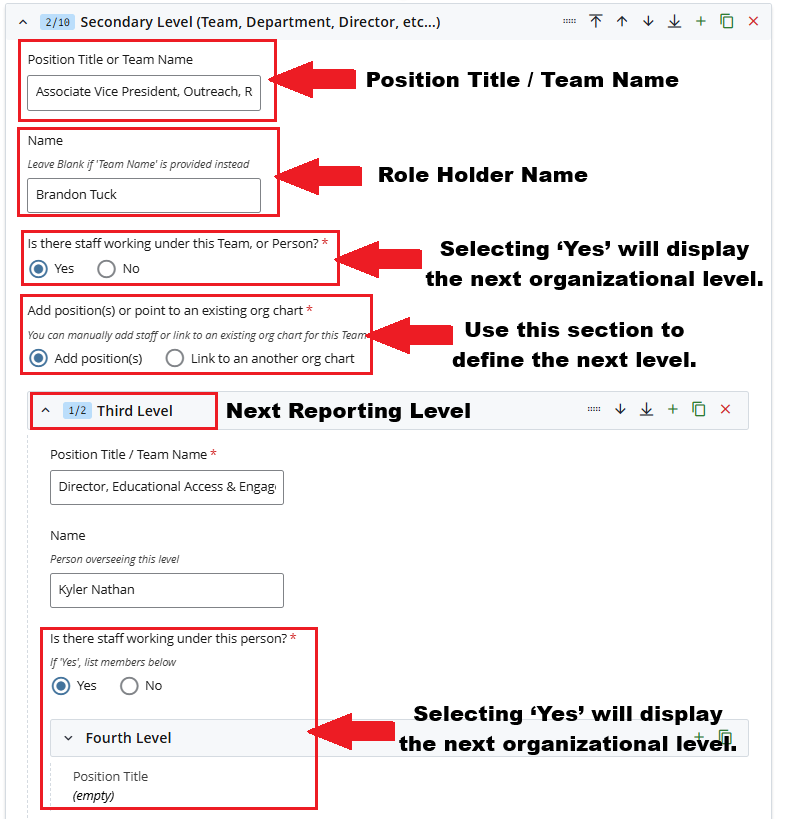
- Role Title and Role Holder Name for Secondary Level, Third Level, Fourth Level, and subsequent sections
- Link to an Existing Organizational Chart (Optional)
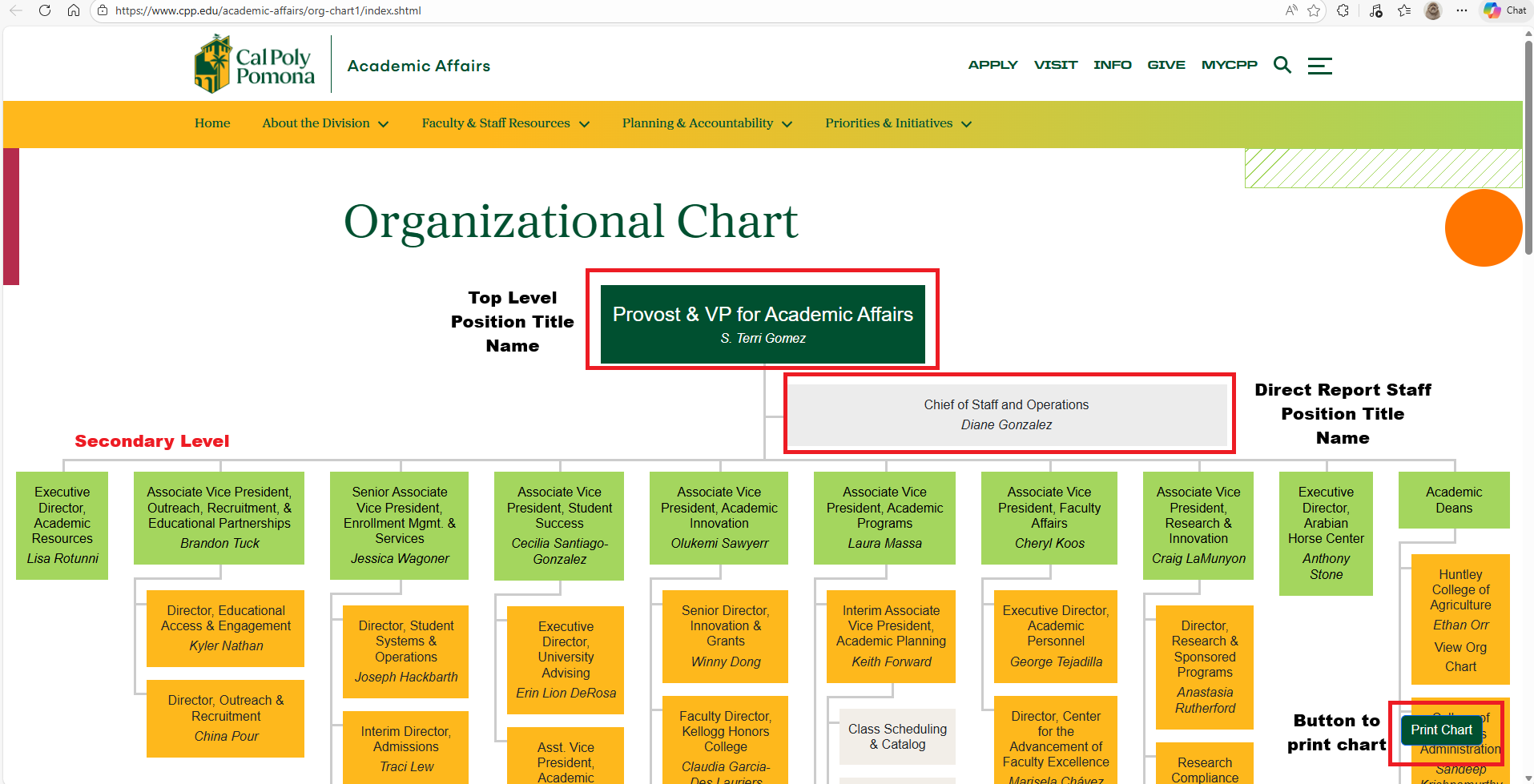
Page View
Graphical Chart Type
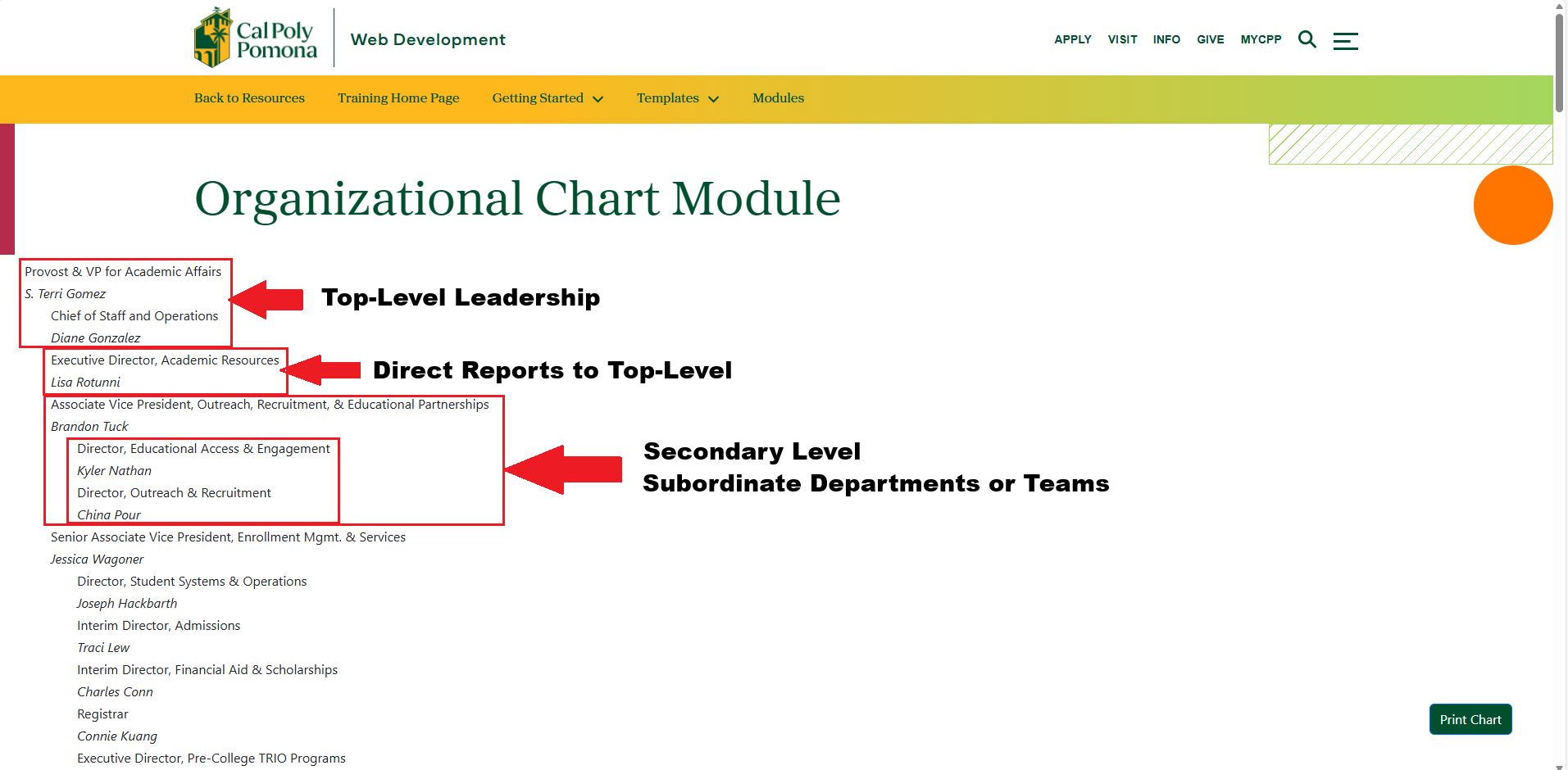
Linear Chart Type
Cascade View
Graphical Chart Type
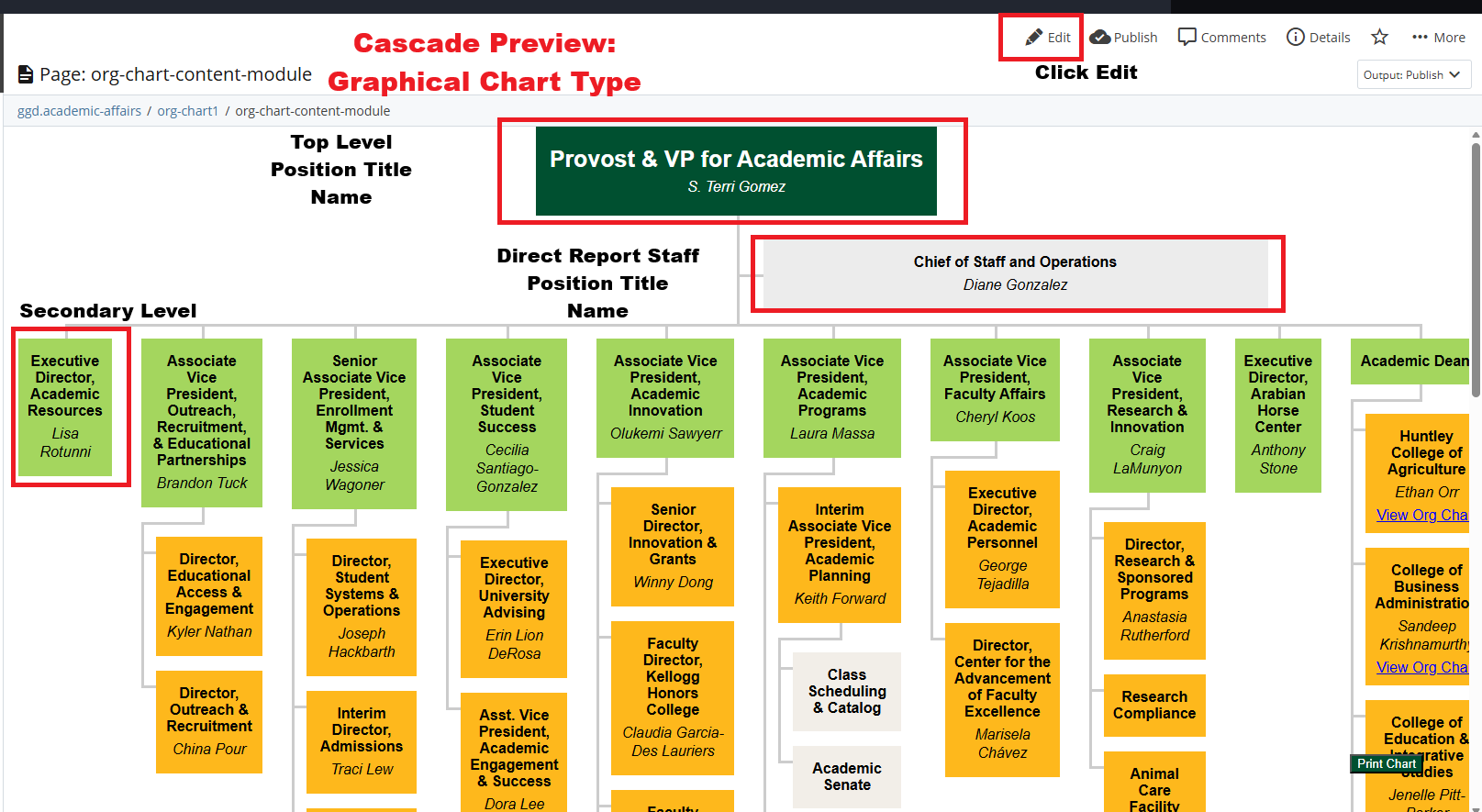
Note: Both the Graphical and Linear chart types use the same input fields in Cascade.