Course Information Module Tutorial
Instructions
The module is available for use across the following template pages:
This module comes with a Courses and an Advising button. You can add additional buttons if necessary.
Page View
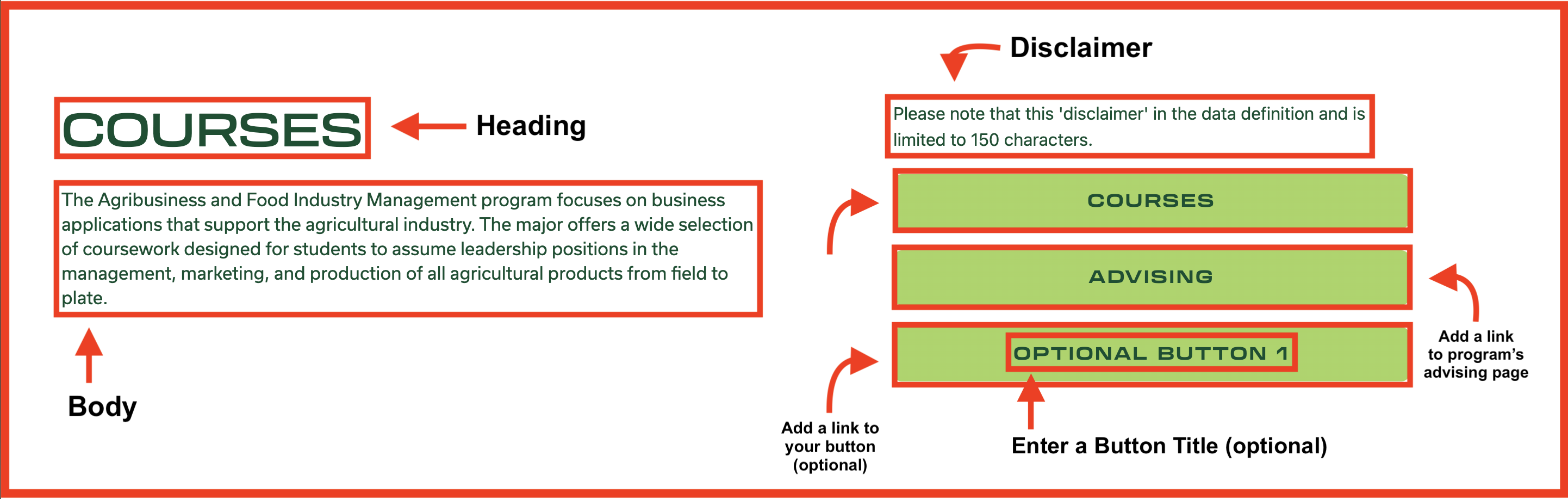
For this section you will need:
- 2 sentence paragraph describing the college program's courses
- 2 buttons (one for courses, another for advising), additional buttons are optional
- Links for each button
- Course button should link to the course catalog
- Advising button should link to the college program's advising page
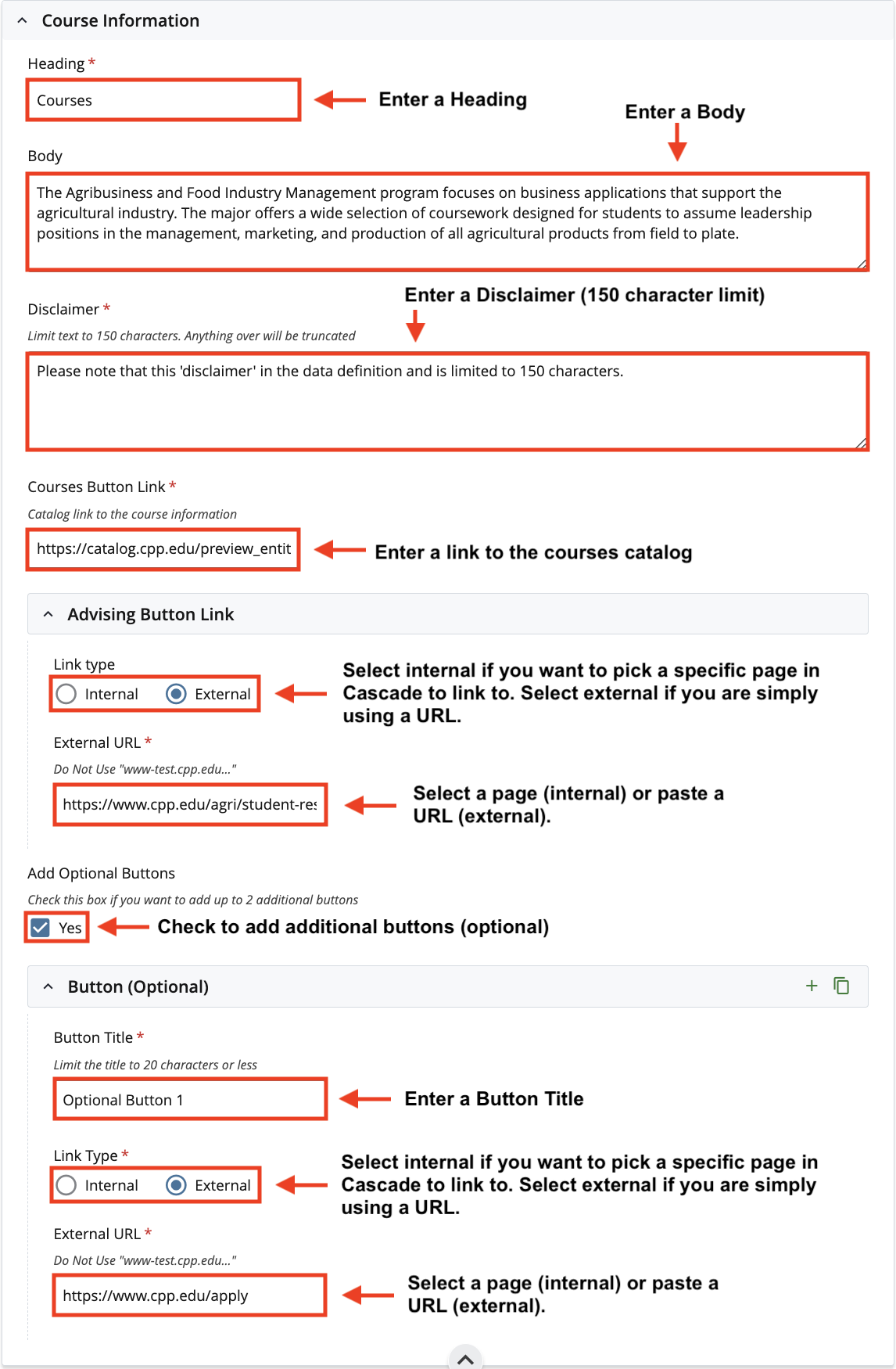
Cascade View
Instructions:
- Heading: Enter a Heading
- Body: Enter Body Text
- Disclaimer: Enter a Disclaimer (150 character limit)
- Courses Button Link: Enter a Link to the courses catalog
- Advising Button Link:
- Link Type: select internal if you want to pick a specific page to link to. select external if you are using a URL
- Page/ URL: select your page or paste a URL
- Add Optional Buttons: Check to add additional buttons (optional)
- Button Title: Enter a Button Title
- Link Type: select internal if you want to pick a specific page to link to. select external if you are using a URL
- Page/ URL: select your page or paste a URL