News Page Template Tutorial
Introduction
The news module is not available by default. If a college or department want a news feed on their website, please submit a ticket requesting the news feed.
After a news feed has been requested, a news folder will be created with 1 news listing and 1 news content page. The news listing page will link to news content pages. To add more news, create more news content pages.
This tutorial will go over four sections for creating a custom news article:
- News Metadata
- Content Options:
- Department Footer
- News Tags
News Metadata
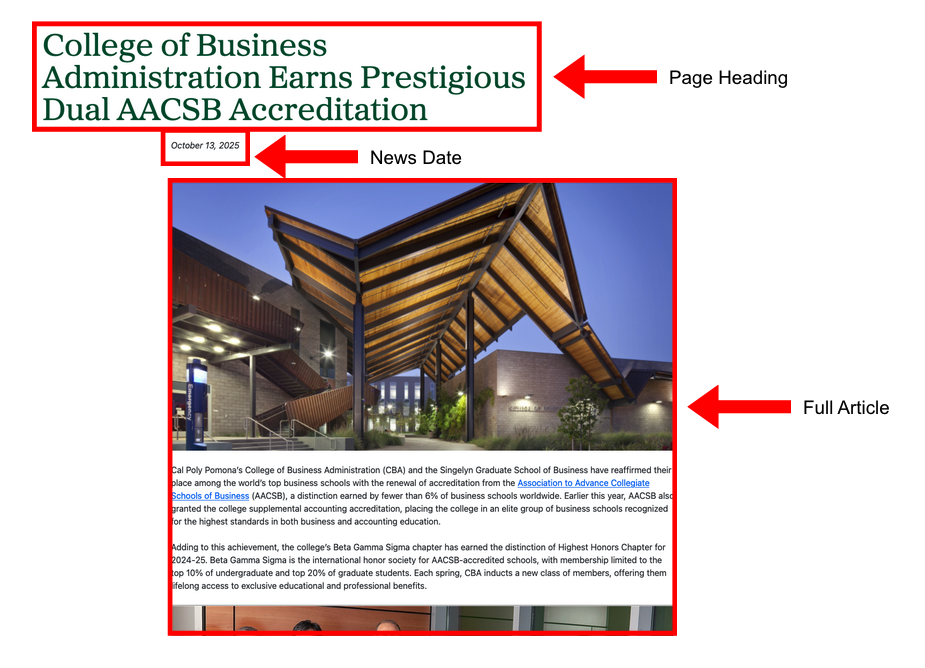
News Feed Page View
This is how your news article will appear on a page using a news feed.
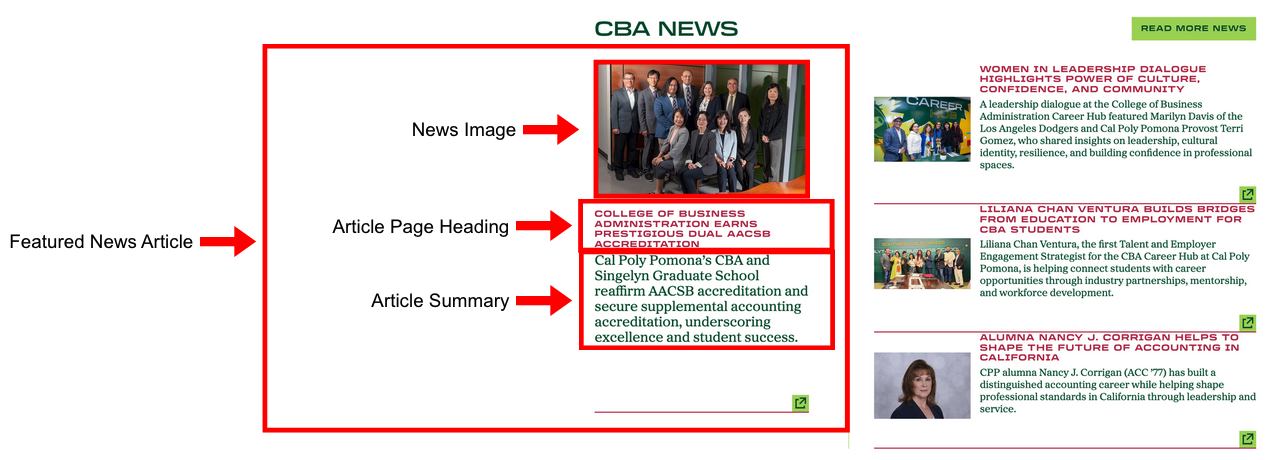
Cascade View
Instructions:
- Title: Enter Title of the news article page
- Keywords: Enter keywords
- Description: Enter a description for the news article
- News Page:
- Navigation: Enter the related navigation bar for the top of the news article page
- Page heading: Enter Page Heading
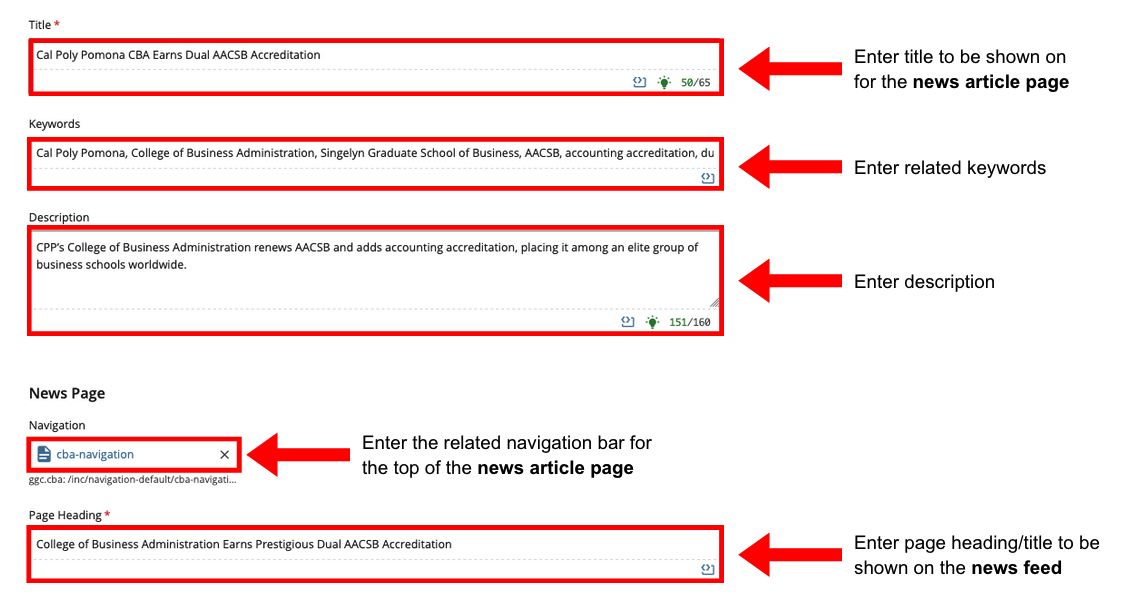
- News Metadata:
- News Date: Enter date of news article
- Summary: Enter summary of article
- Full Article: Enter article content
- Author: Enter author of article
- News Image: Add Image and enter Image Alt Text
- Have news image thumbnail also shown on this page? Select Yes if you want the news image to appear in the article.
- Featured News?: Select yes if you want this article as the featured news article
- NOTE: Please select ONLY ONE news article to be the featured news article.
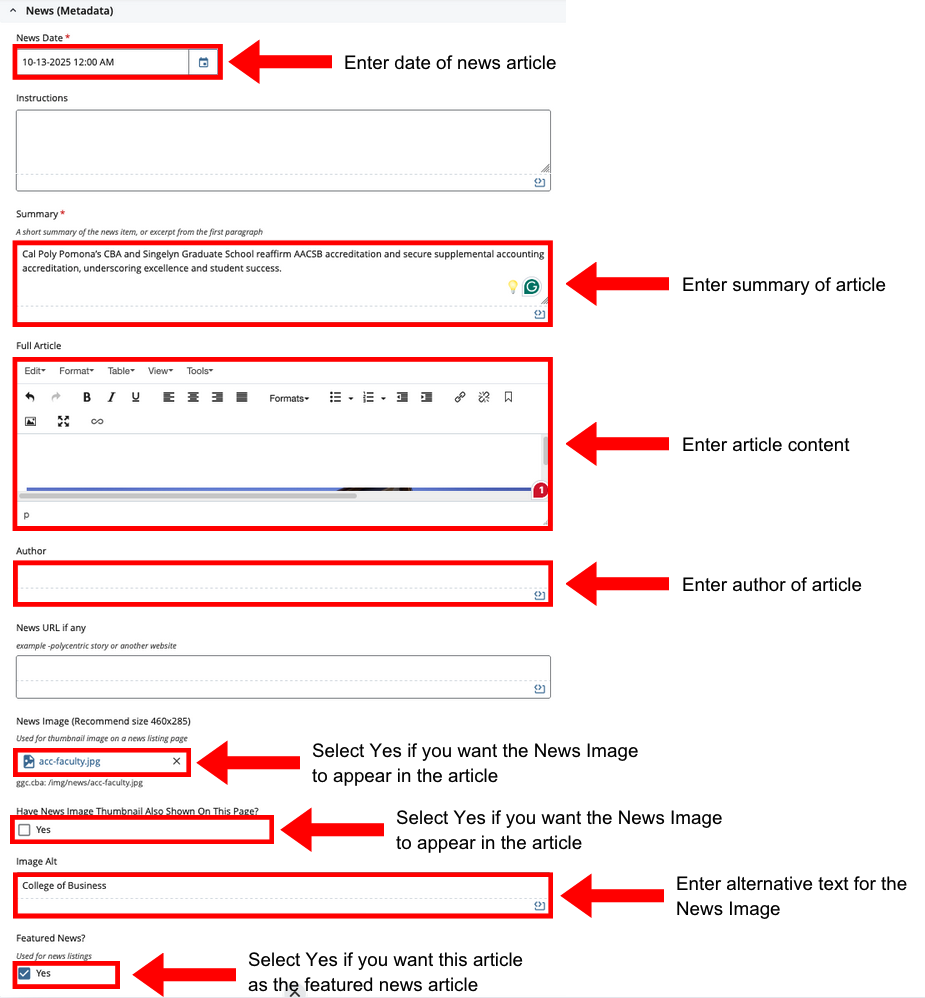
NOTE: Please select only one news article to be the featured news article.
Content Options
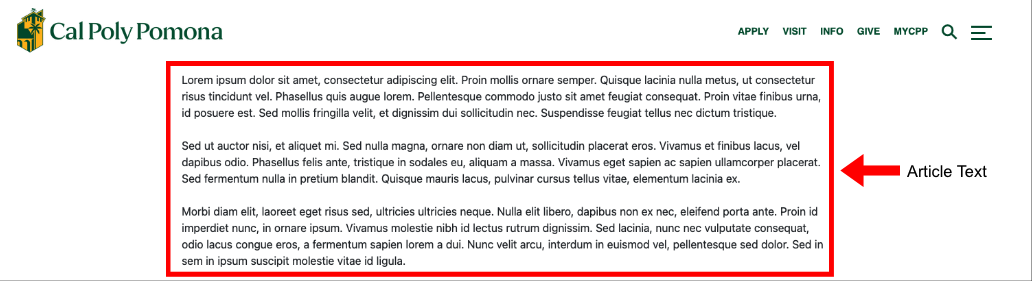
Cascade View
Instructions:
- Content Options: Select Text/Image
- Adjust Section Padding: Select Yes or No
- Article Text: Enter Article Text
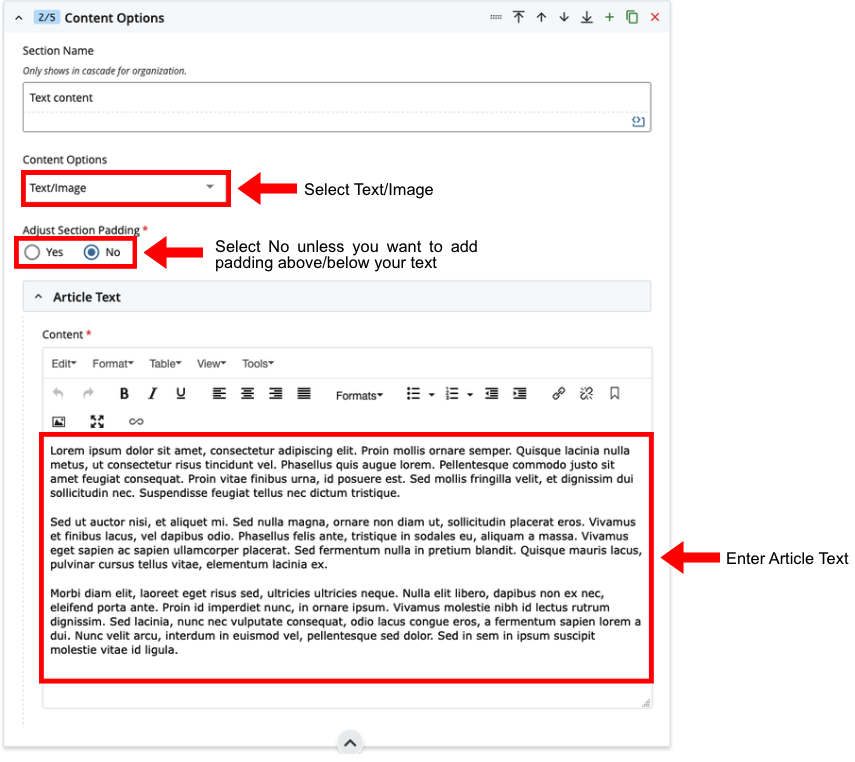
If images are needed for this section, and wish to syle it within the text please follow instructions for figure and image caption.
NOTE: After any changes to your news pages, you need to re-publish the desired landing page for your changes to display.
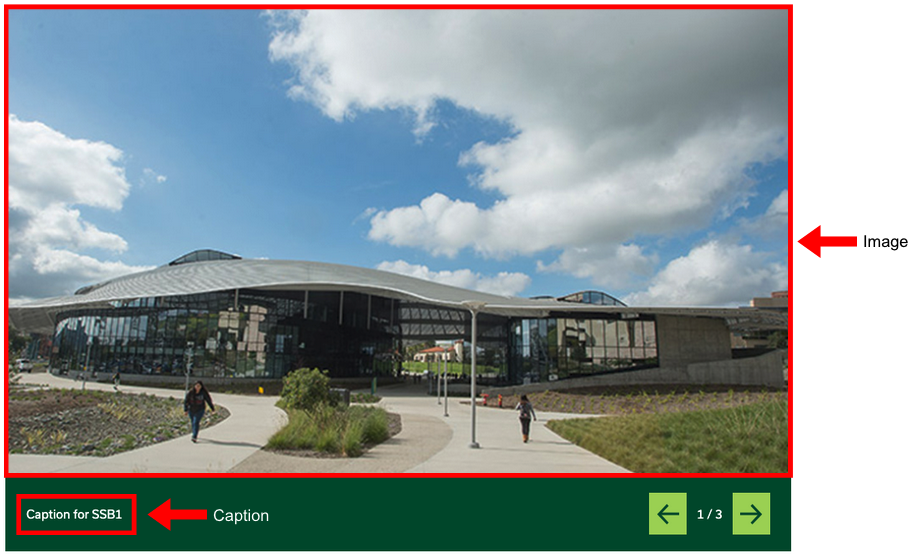
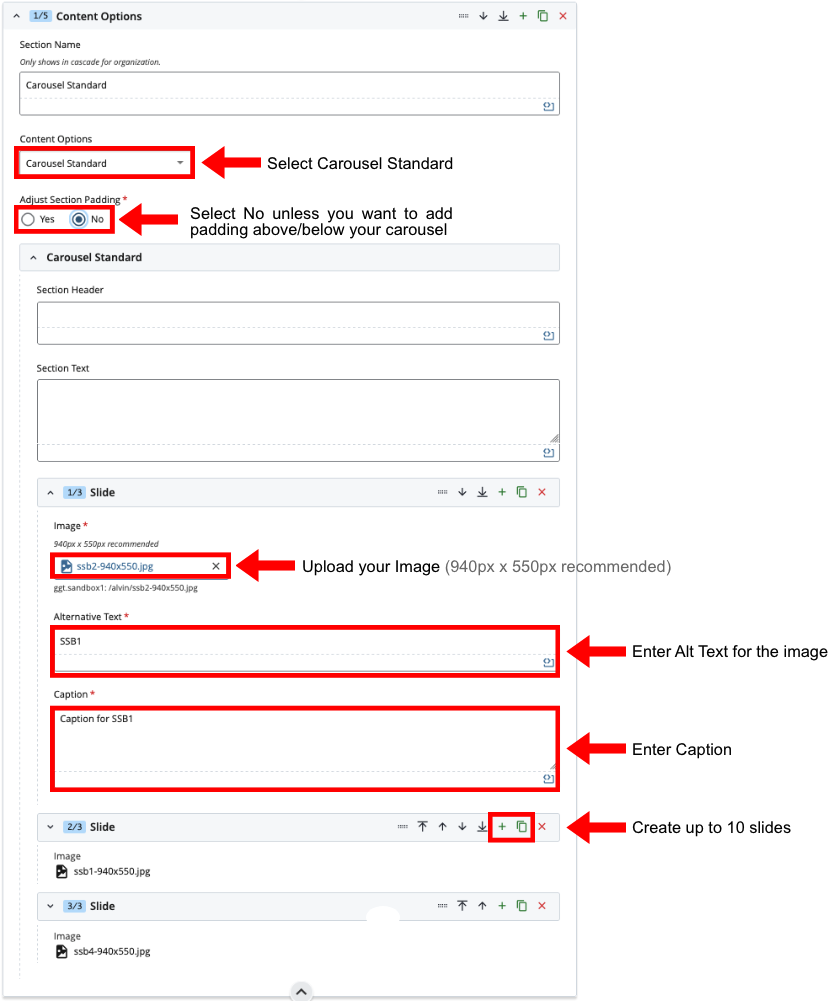
Cascade View
Instructions:
- Content Options: Select Carousel Standard
- Adjust Section Padding: Select Yes or No
- Slide:
- Plus Button: Add up to 10 Slides
- Image: Add Image and enter Image Alt Text
- Caption: Enter Image Caption
NOTE: After any changes to your news pages, you need to re-publish the desired landing page for your changes to display.
Cascade View
Instructions:
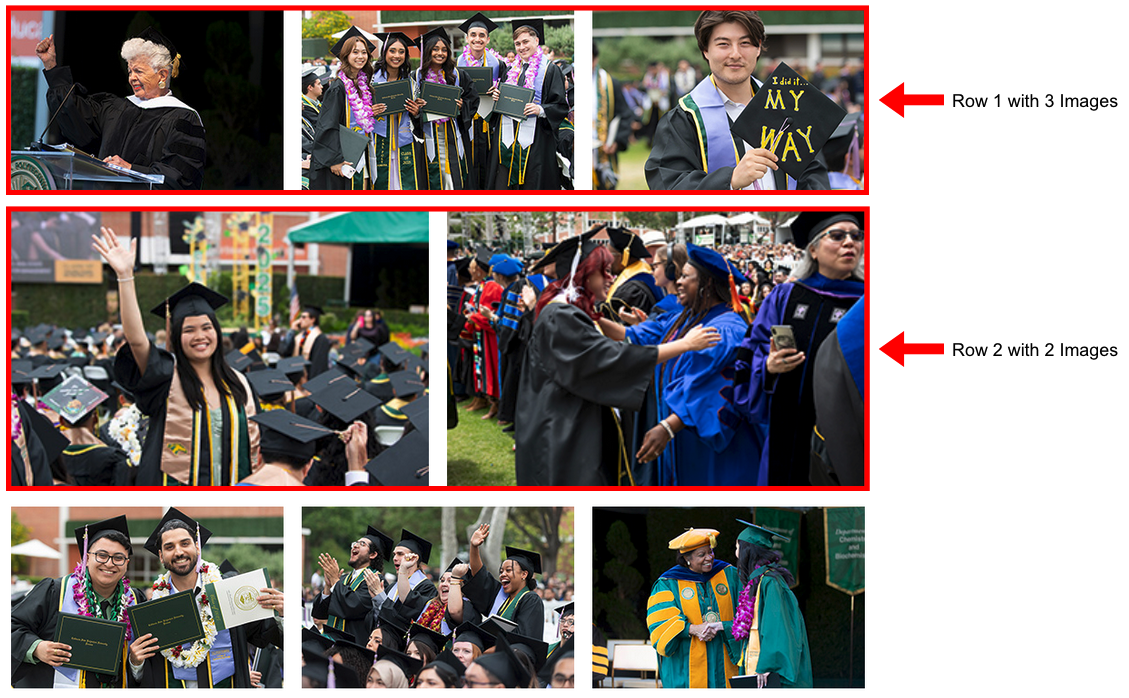
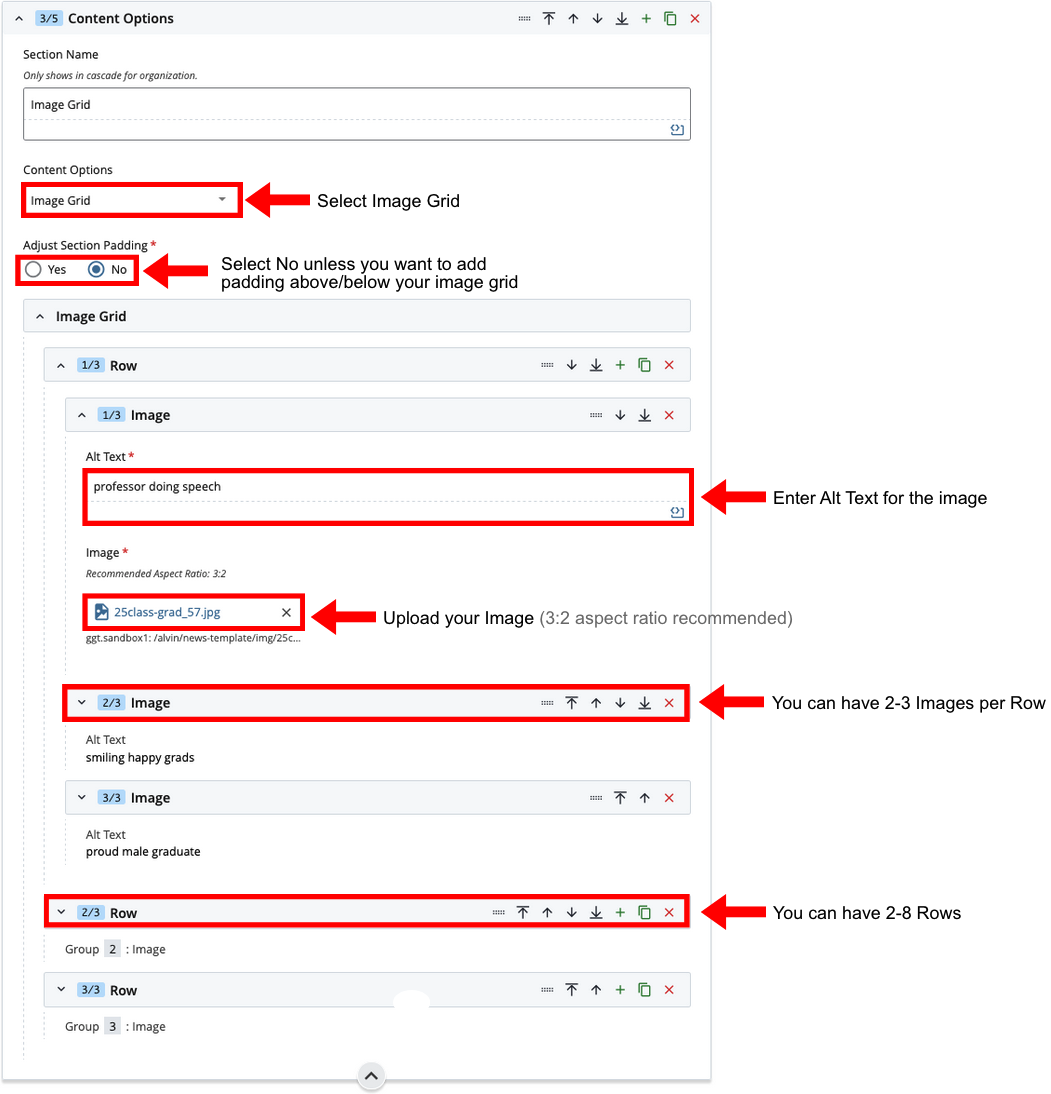
- Content Options: Select Image Grid
- Adjust Section Padding: Select Yes or No
- Plus Button: Add additional rows
- Row: Add 3 Images to each row
- Image: Add Image and enter Image Alt Text
NOTE: After any changes to your news pages, you need to re-publish the desired landing page for your changes to display.
Cascade View
Instructions:
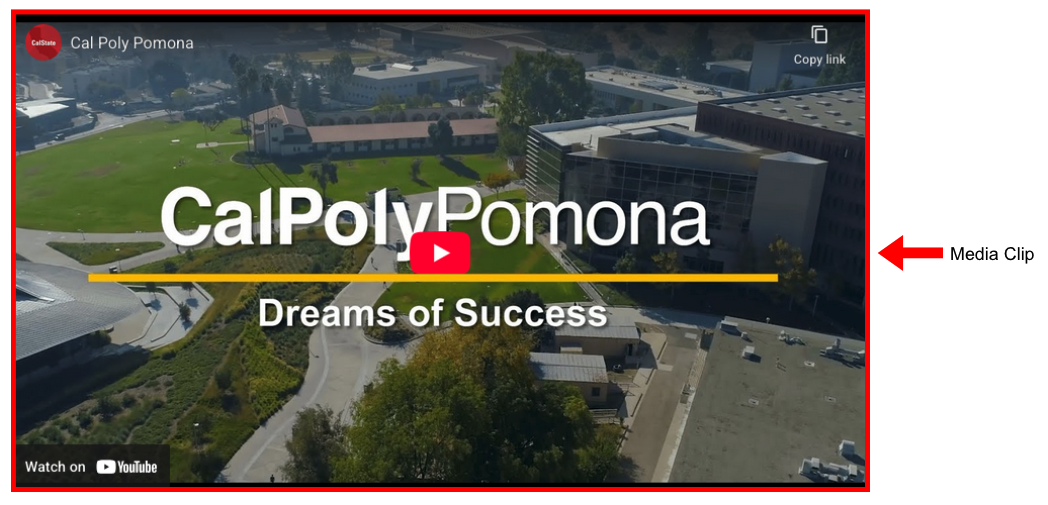
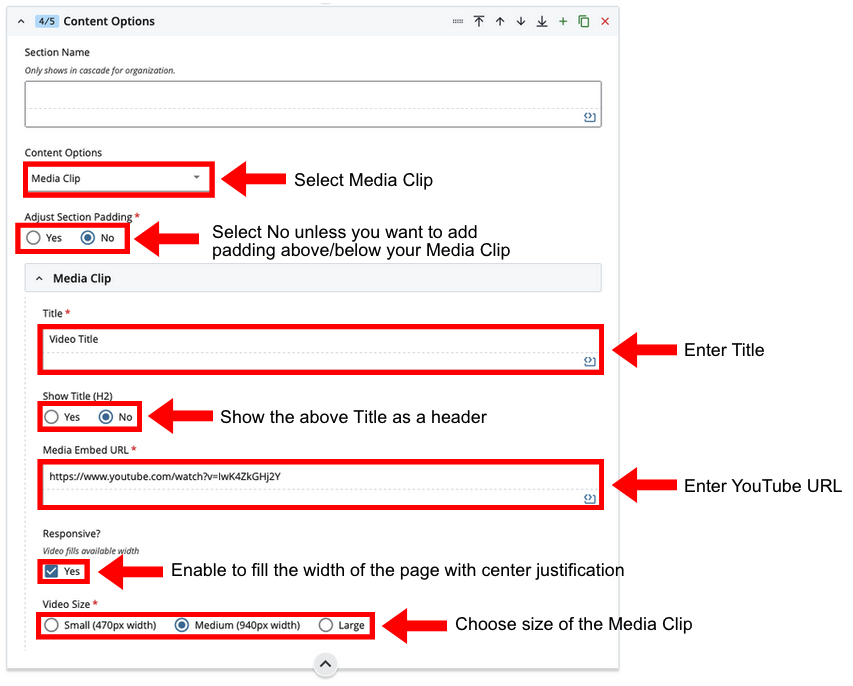
- Content Options: Select Media Clip
- Adjust Section Padding: Select Yes or No
- Title: Enter Title
- Show Title (H2): Show the above Title as a header
- Media Embed URL: Enter Youtube URL
- Responsive?: Enable to fill the width of the page with center justification
- Video Size: Choose size of the Media Clip
NOTE: After any changes to your news pages, you need to re-publish the desired landing page for your changes to display.
Department Footer
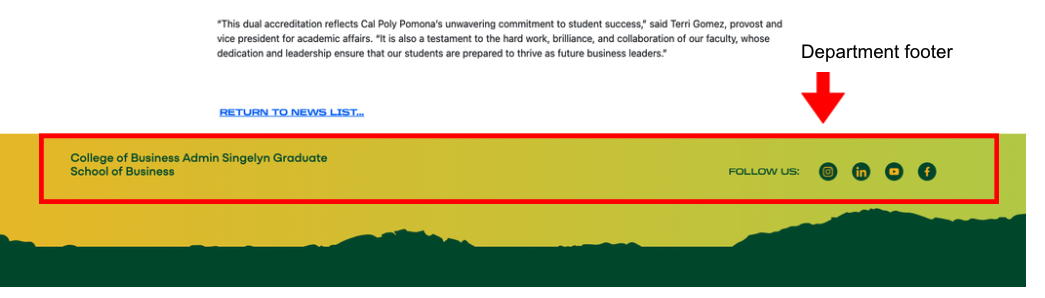
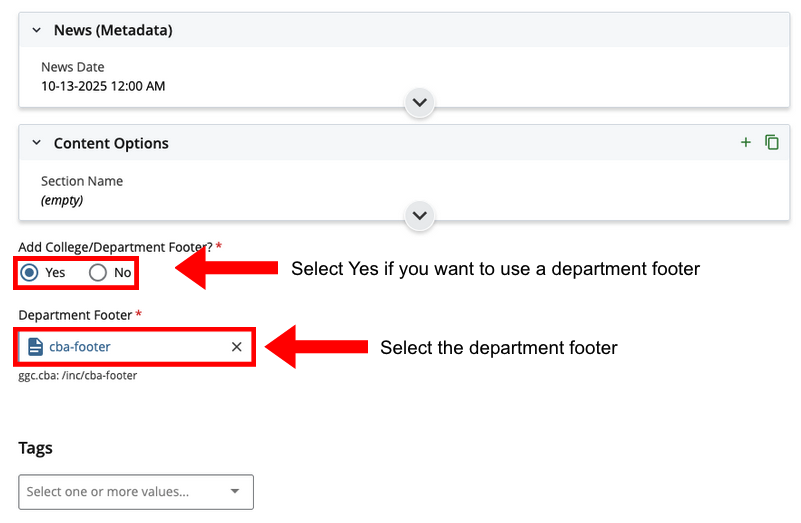
Cascade View
Instructions:
- Add College/Department Footer: Select Yes to use a department footer
- Department Footer: Select the department footer
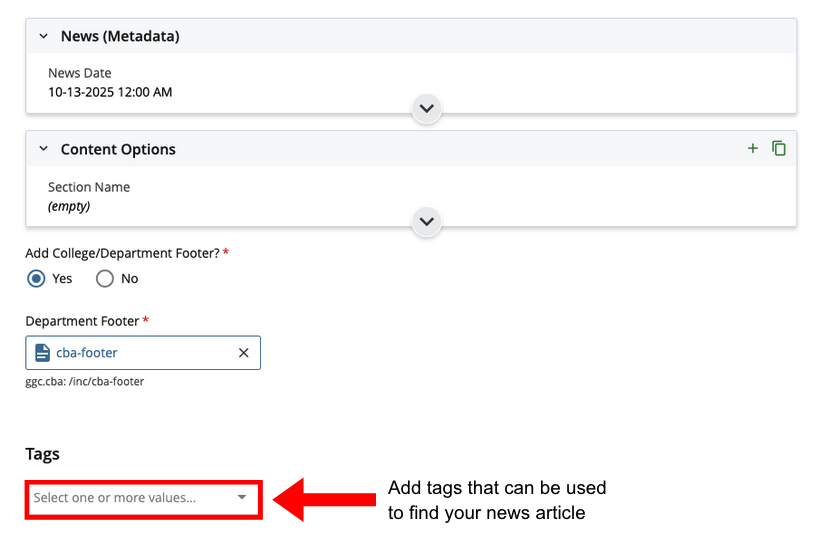
News Tags
Instructions:
- Tags: Add tags that can be used to find your news article
NOTE: News tag searching is visible only to WebDev and StratComm.