Hero - Programs Module Tutorial
Instructions
The module is available for use across the following template pages:
If you need assistance uploading images or videos, please refer to the Adding Content Instructions page. Visit the page and follow the provided instructions to upload your files correctly.
Note: Program Type is a breadcrumb that allows users to navigate back to the selected page of programs.
Page View

For this section you will need:
- Name of college program
- Type of college program
- Degree type
- Degree level
- 1 image
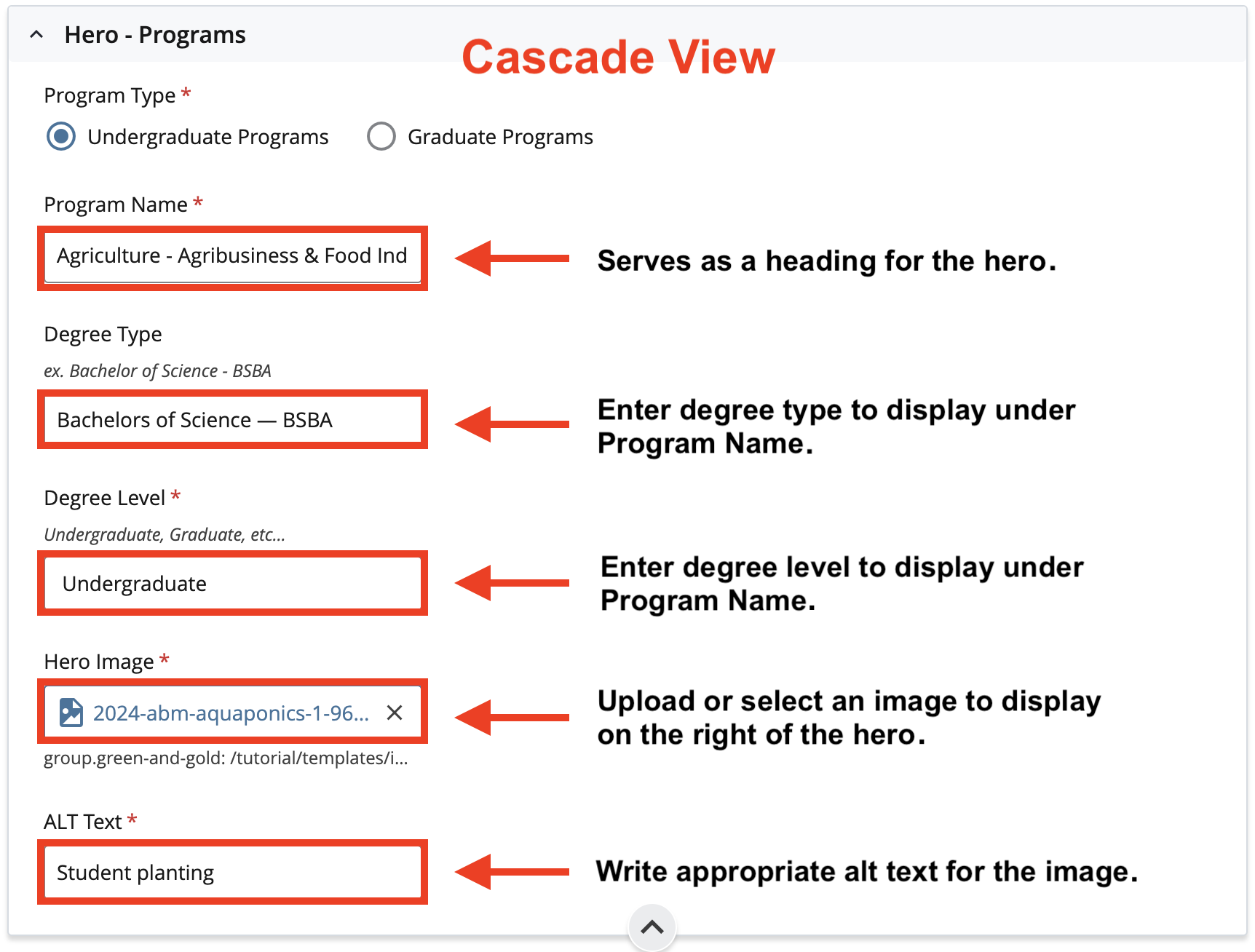
Cascade View
Instructions:
- Program Type: Choose Undergraduate or Graduate
- Program Name: Enter Program Name. This will be the heading of the hero.
- Degree Type: Enter Degree Type to display under the Program Name.
- Degree Level: Enter Degree Level to display under Program Name.
- Hero Image: Select an image to display on the right side of the hero.
- Alt Text: Enter Image Alternative Text.