Hero Section Full Width Module Tutorial
Instructions
The module is available for use across the following template pages:
- Giving Page
If you need assistance uploading images or videos, please refer to the Adding Content Instructions page. Visit the page and follow the provided instructions to upload your files correctly.
Page View
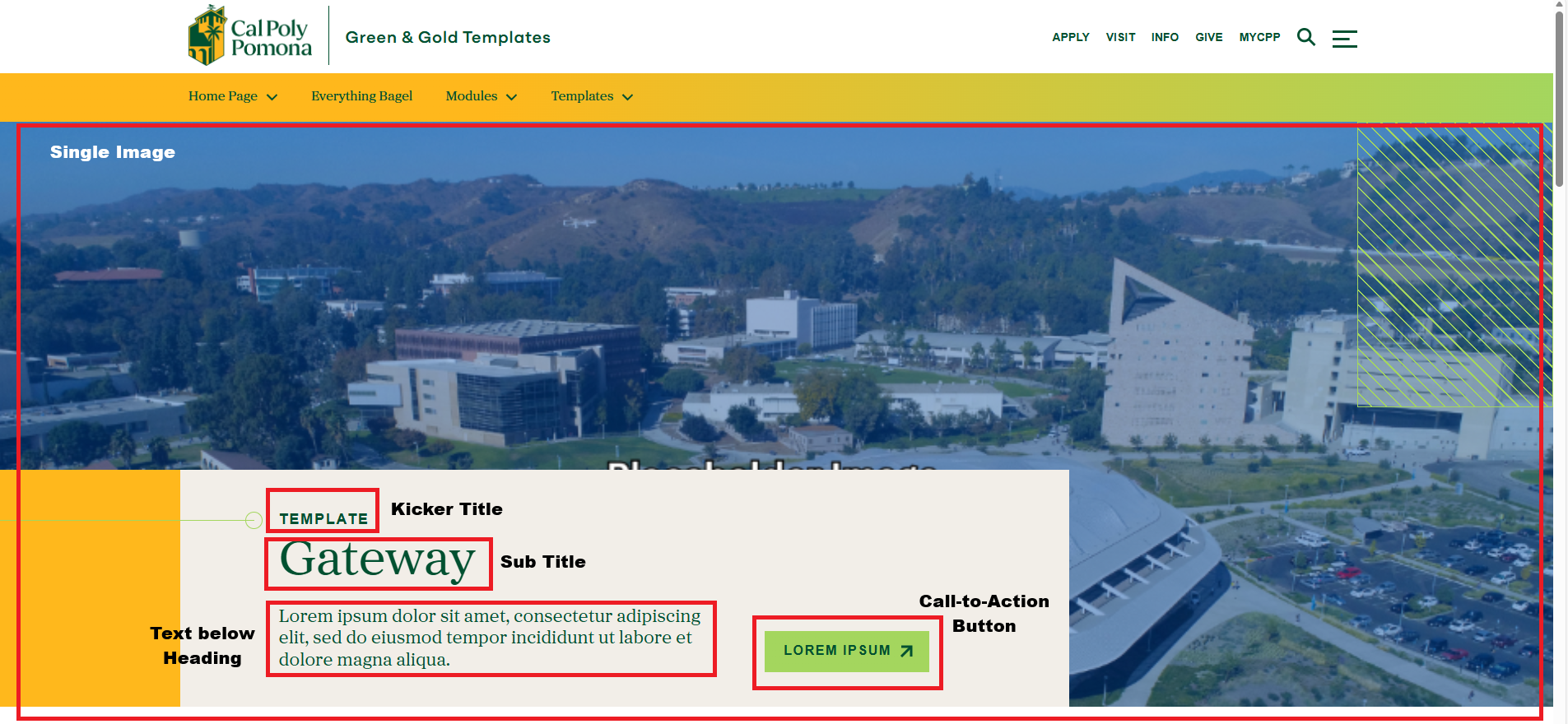
For this section, you will need:
- Kicker Title text
- Sub Title text
- Text below Heading (optional)
- 1 image
- 1 button title and link
Cascade View
Instructions:
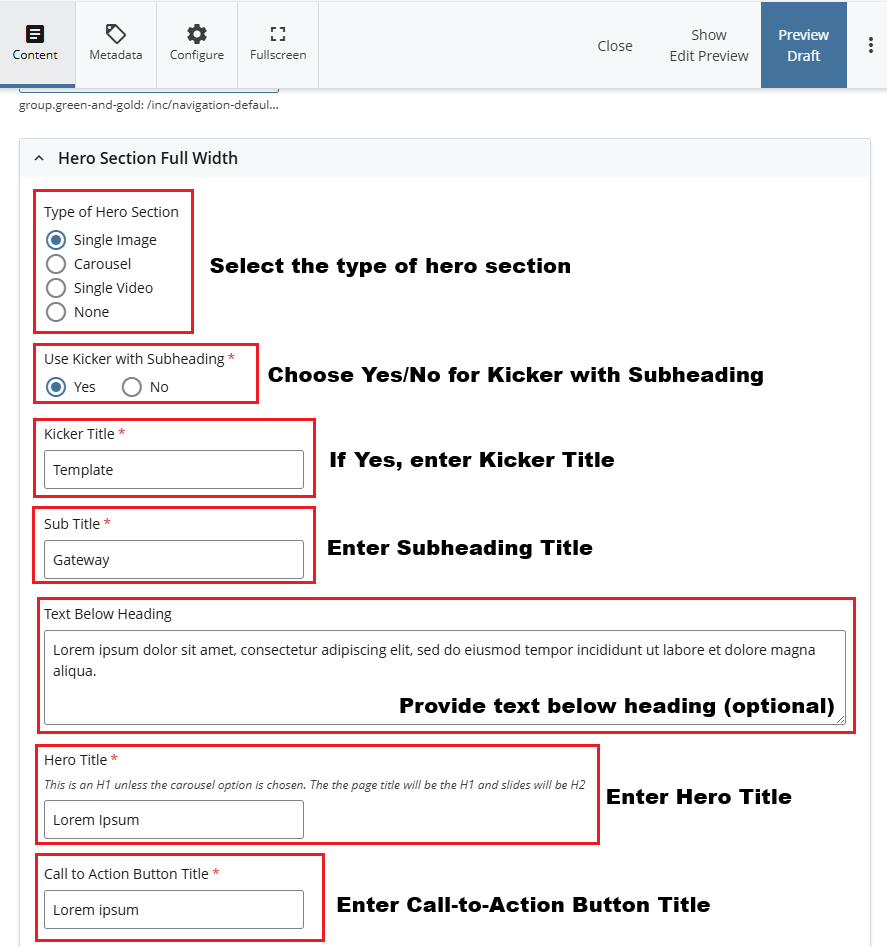
- Type of Hero Section: Select "Featured Events" module in content options
- Use Kicker with Subheading: Choose Yes or No
- Kicker Title: Enter Kicker Title
- Subtitle: Enter Subheading Title
- Text Below Heading (Optional): Enter text displayed below heading
- Hero Title: Enter a title for the hero
- Call to Action Button Title: Enter a title for the Call to Action Button
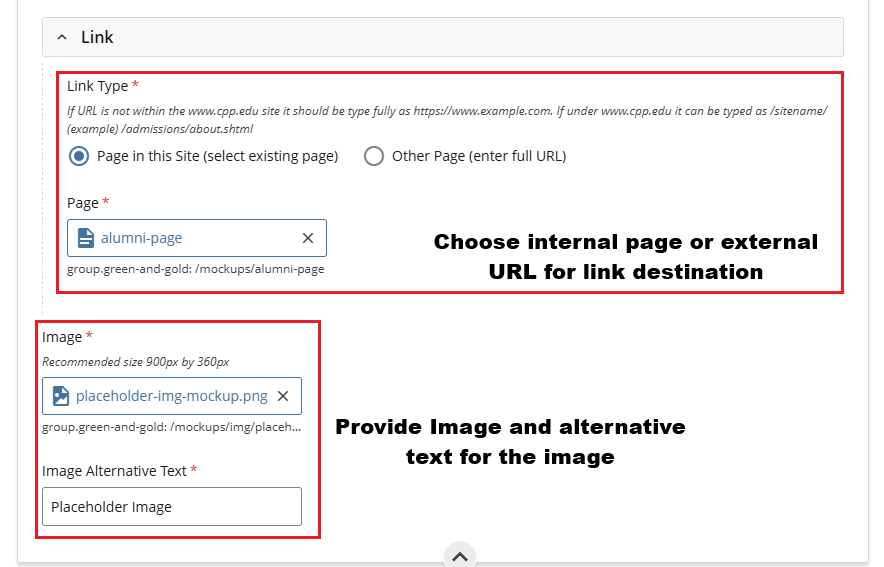
- Link Type: Select Internal Page or External URL
- Page / URL: Select the internal Cascade page or paste a URL
- Image: Add Image and enter Image Alt Text