Small Cards Module Tutorial
Instructions
The module is available for use across the following template pages:
Page View
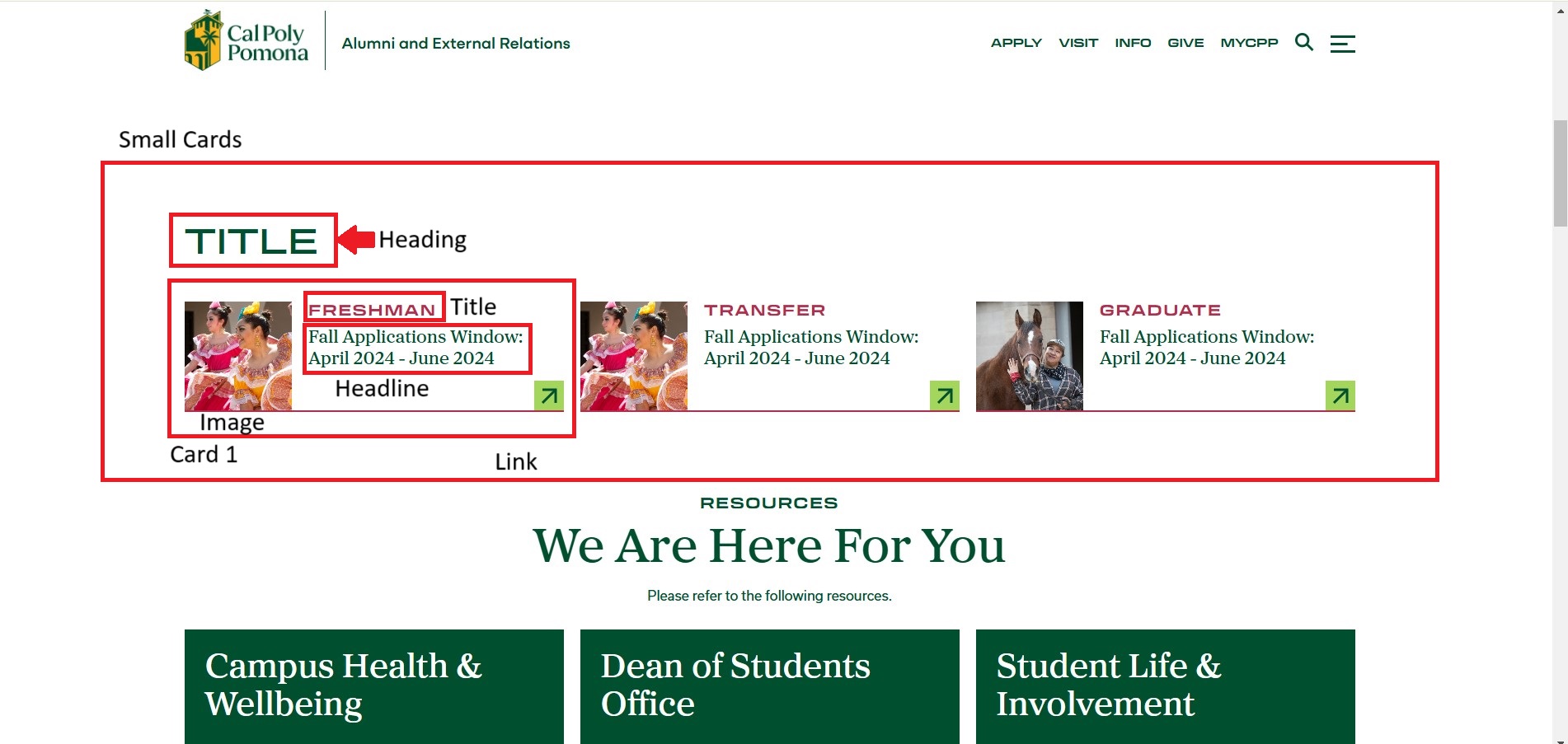
For this section, you will need:
- Heading text
- (3) images
- (3) title texts and headlines
- (3) links for cards
Note: You will be required to edit three cards.
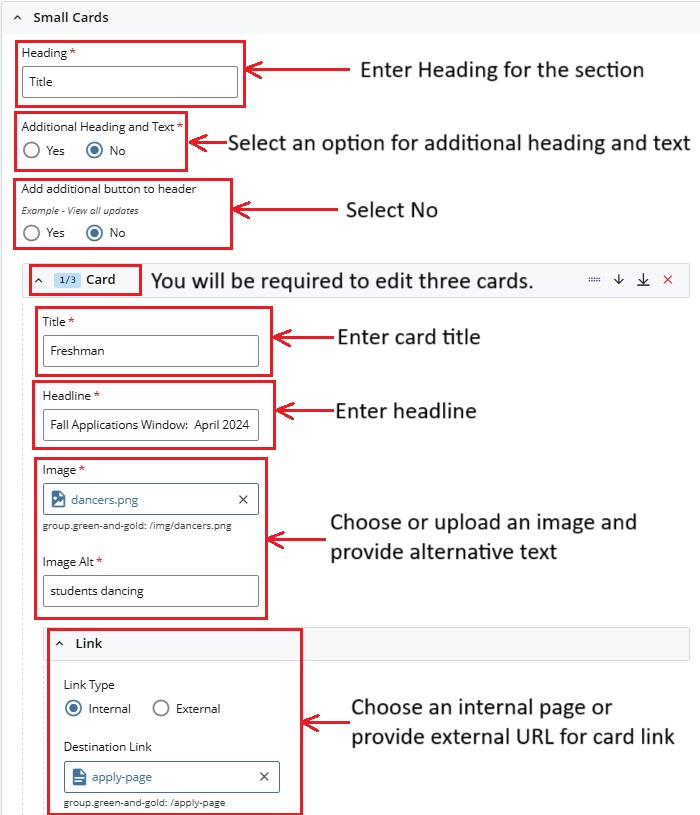
Cascade View
Instructions
- Heading: Add Section Heading
- Additional Heading and Text: Select Yes or No
- Add additional button to header: Select No
- Card (3): Expand each Card and enter the following
- Title: Enter Card Title
- Headline: Enter Headline
- Image: Add Image and enter Image Alt Text
- Link Type: Select Internal Page or External URL
- Page / URL: Select the internal Cascade page or paste a URL