Text/Image Module Tutorial
The module is available for use across the following template pages:
Instructions
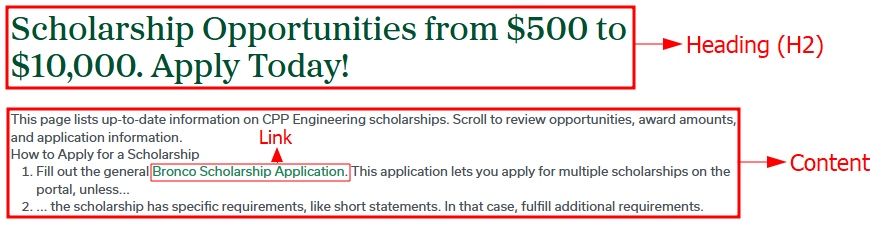
Page View
Page View (with Kicker)
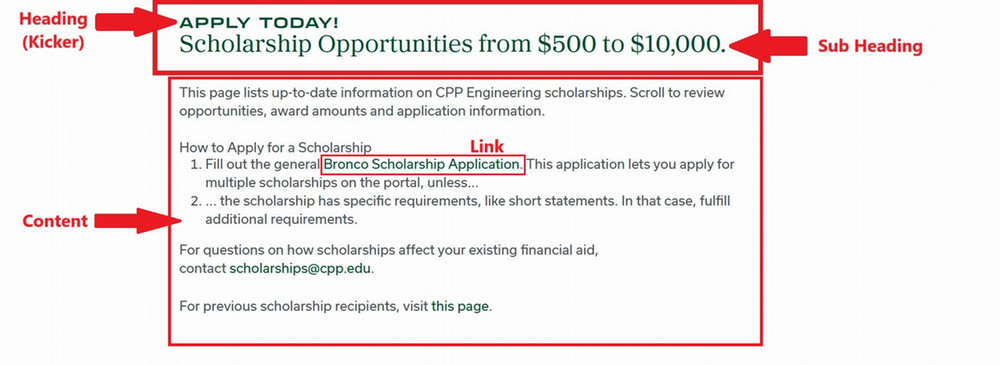
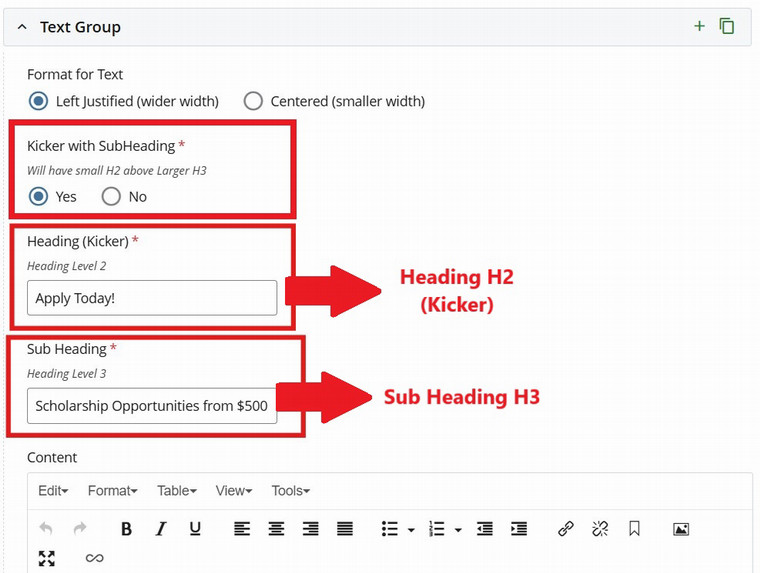
For this section you will need:
- Heading (H2)
- Kicker Heading (H2) and Sub Heading (H3) - optional
- Content
Cascade View
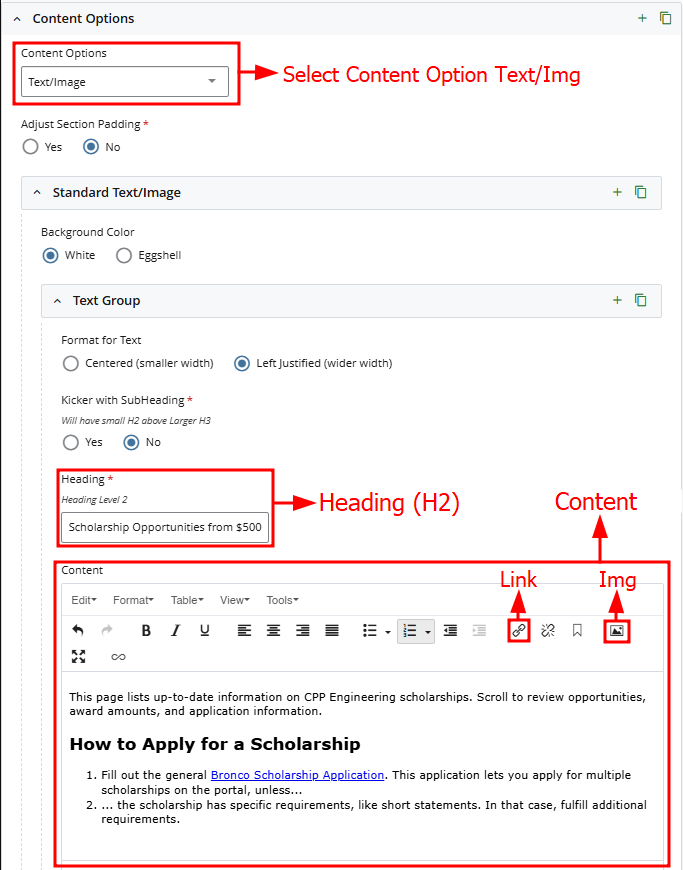
For instructions on formatting text, inserting links, adding and aligning images, and working with other content elements in the Text and Image module, refer to the WYSIWYG Instructions page.
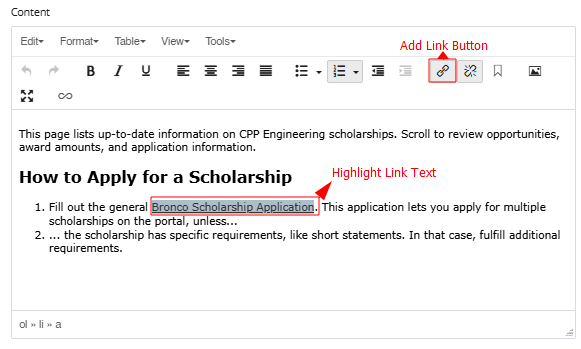
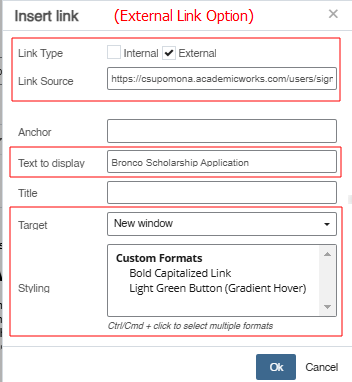
- Highlight Link Text
- Click Add Link Button
- Follow Steps Below For External Or Internal Link
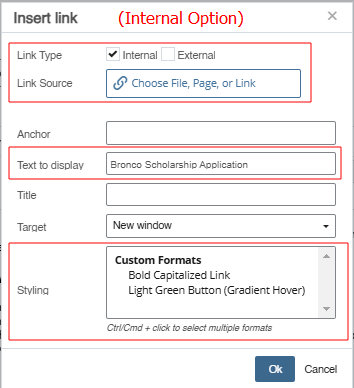
OR