Payment Instructions
Open University Payment Instructions
Step-by-Step-Instructions
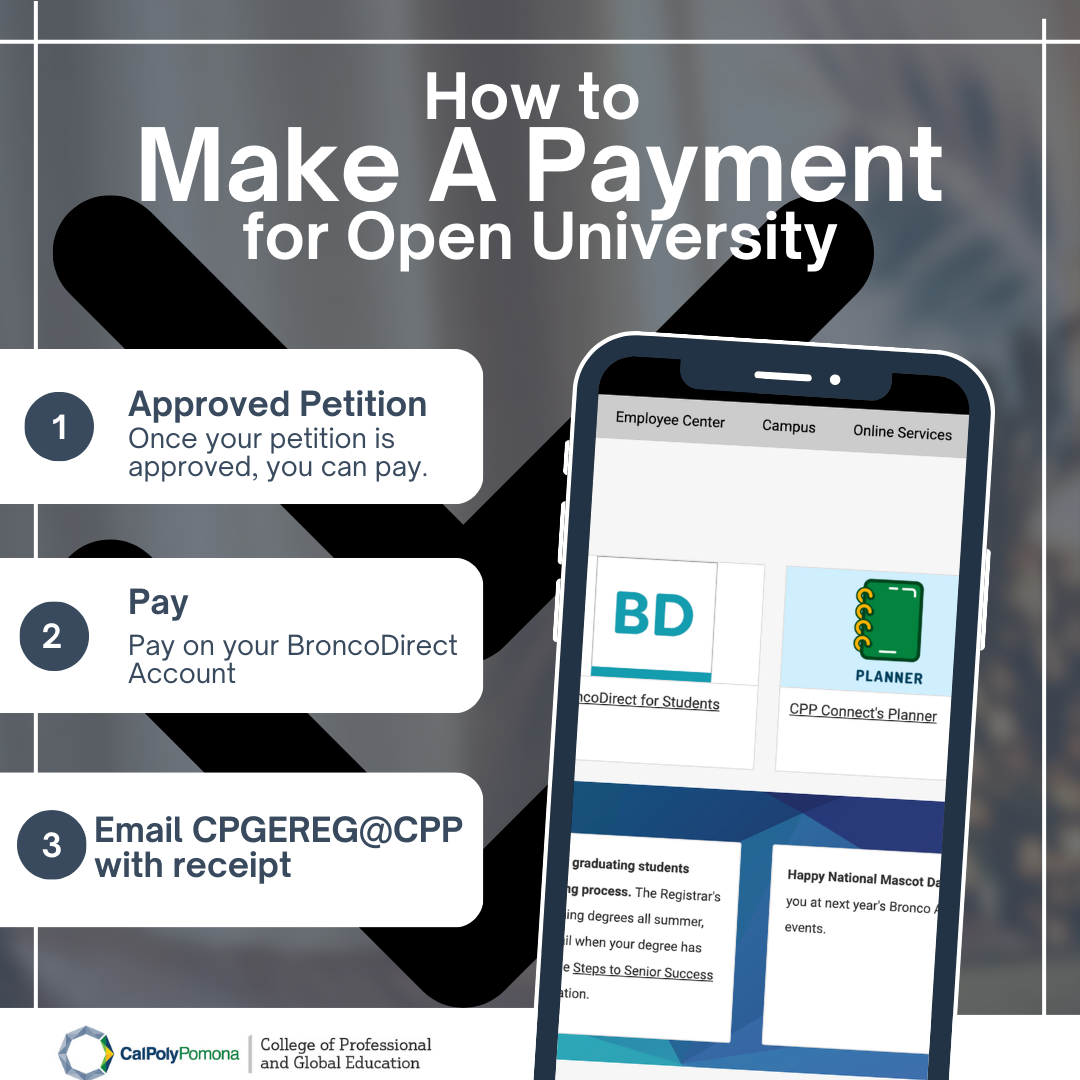
Follow Open University Payment Instructions below:
- Once your petition is approved, you can pay
- Pay on your BroncoDirect account
- Email CPGEReg@cpp.edu with receipt
More detailed step-by-step instructions:
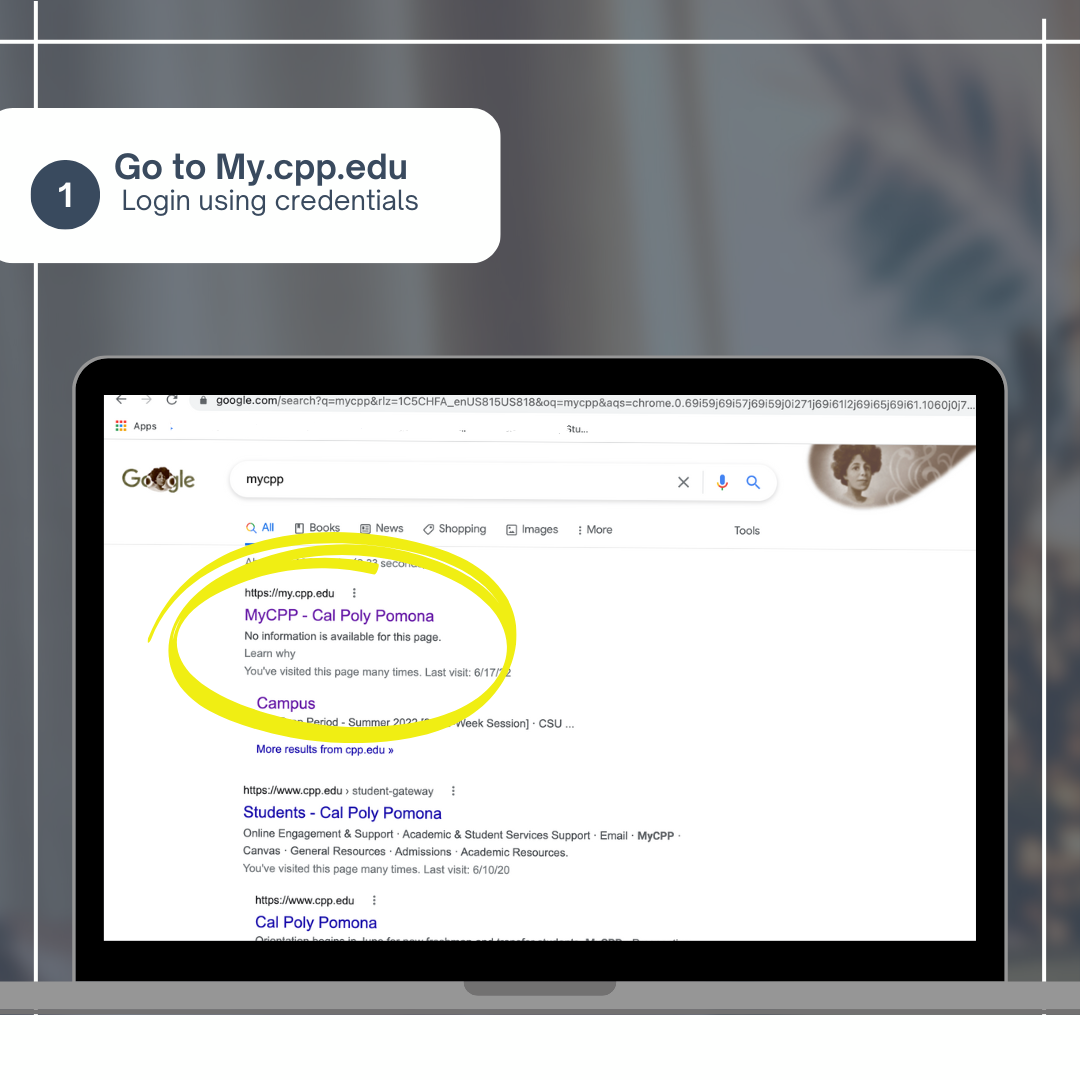
- Go to my.cpp.edu and log in with your credentials
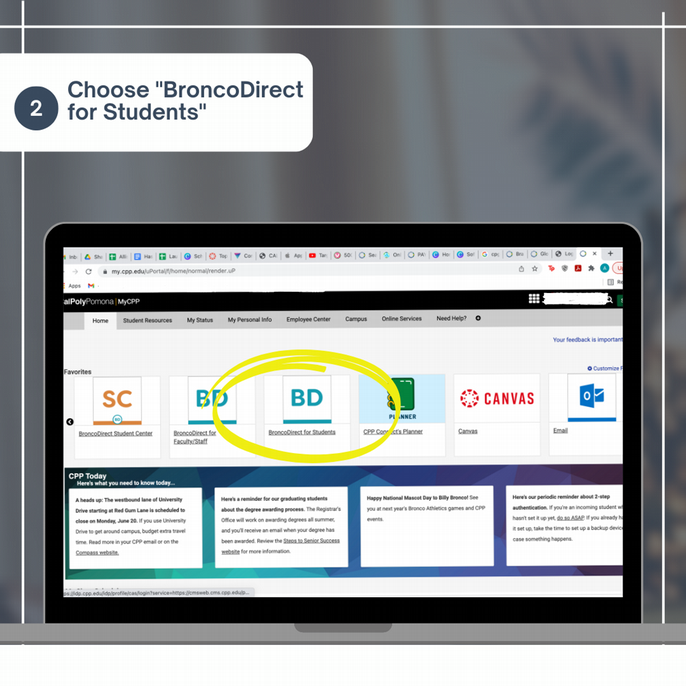
- Choose "BroncoDirect for Students"
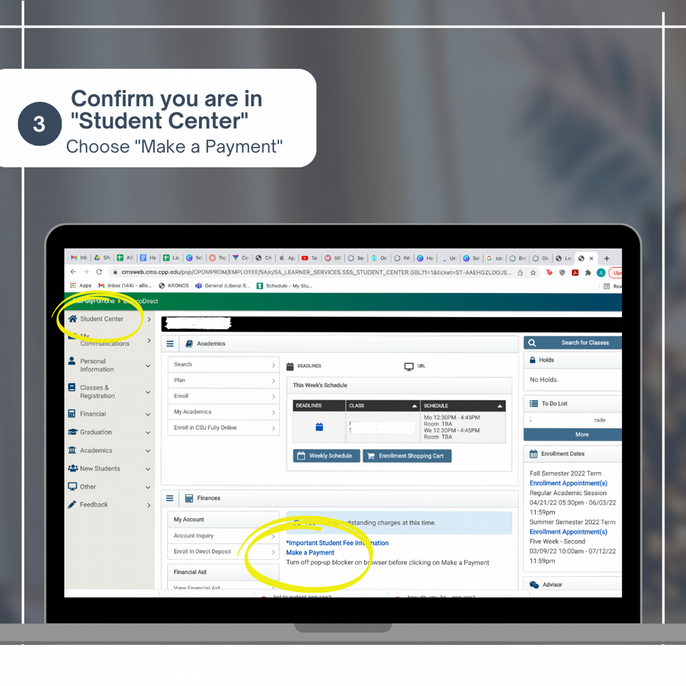
- Confirm you are in "Student Center". Choose Make a Payment
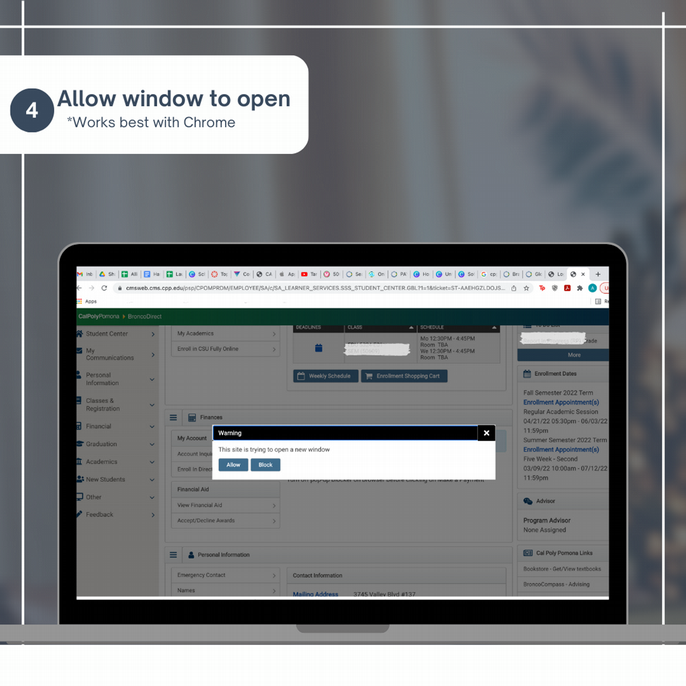
- Allow window to open. Note: this works best with Chrome browser
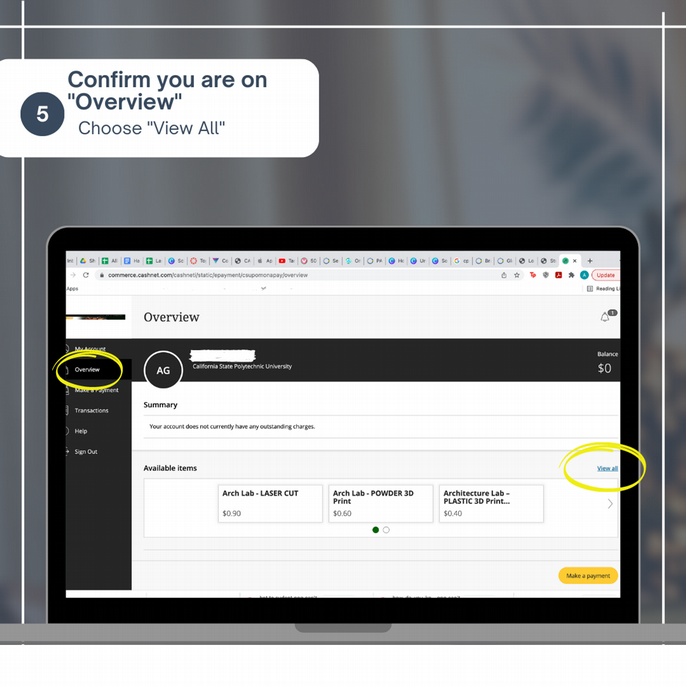
- Confirm you are on "Overview". Choose "View All"
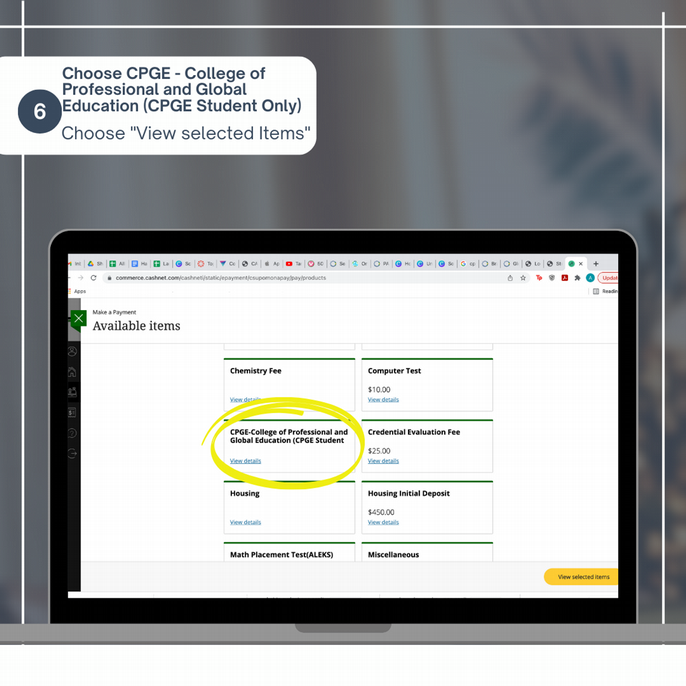
- Choose CPGE - College of Professional and Global Education (CPGE Student Only). Choose "View Selected Items"
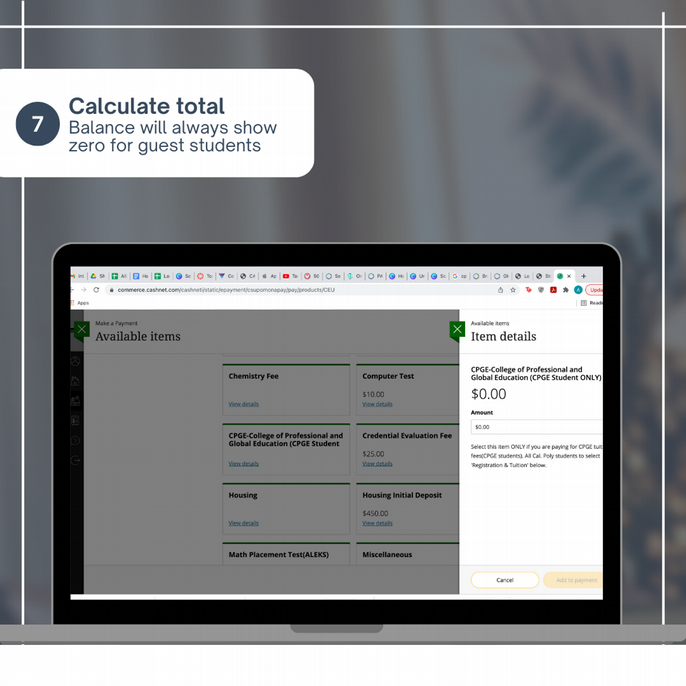
- Calculate total; balance will always show zero for guest students
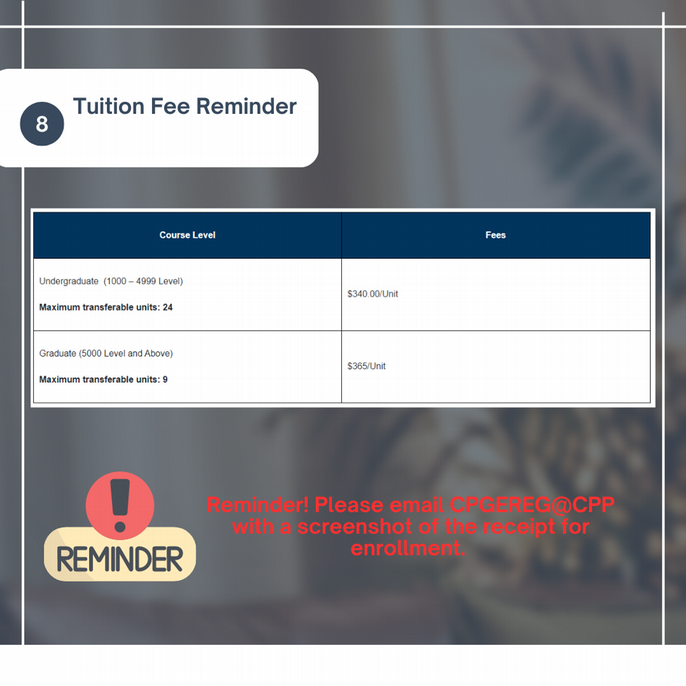
- Reminder! Please email CPGEReg@cpp.edu with a screenshot of the receipt for enrollment.