Carousel Cards Module Tutorial
Instructions
The module is available for use across the following template pages:
- College Department Page
- College Landing Page
- Division Department Page
- Division Landing Page
- Gateway Page
- Program Page
- Content Subpage
If you need assistance uploading images or videos, please refer to the Adding Content Instructions page. Visit the page and follow the provided instructions to upload your files correctly.
Adding Carousel Cards
In Cascade, you can choose between three carousel card styles: text only, college department (image and text with call-to-action), and image and text. Expand the accordions below to explore each option in detail.
Page View
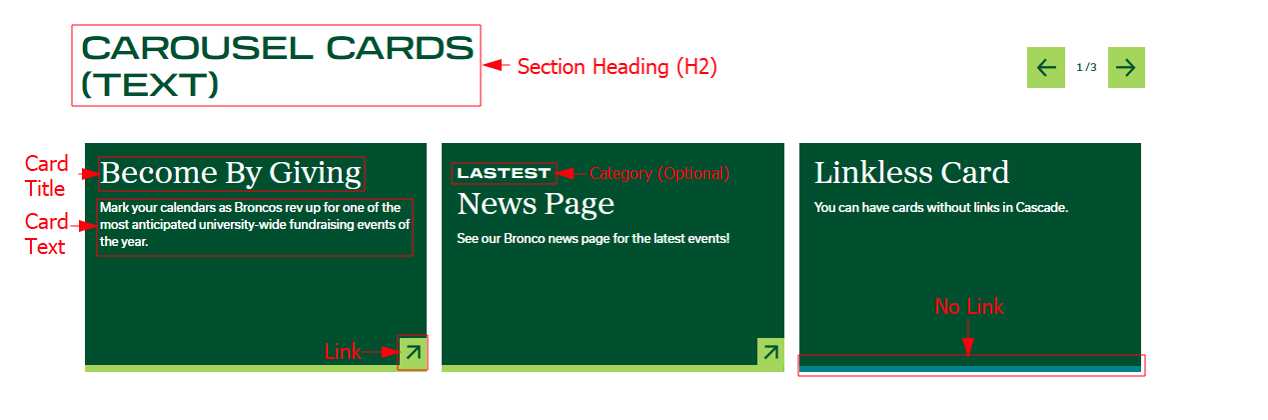
For this section you will need:
- Heading (H2)
- Card Titles + Text
- Card Links (Optional)
Cascade View
Instructions:
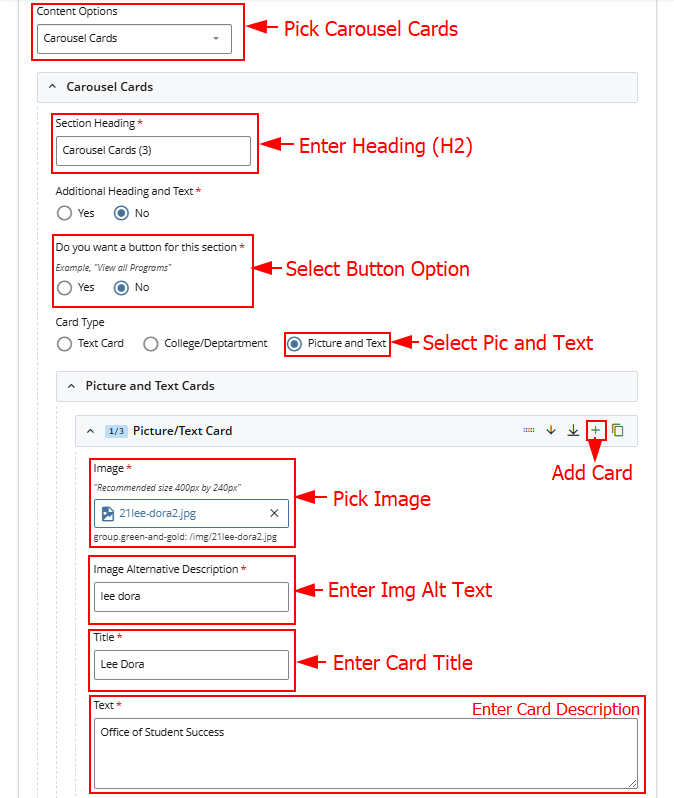
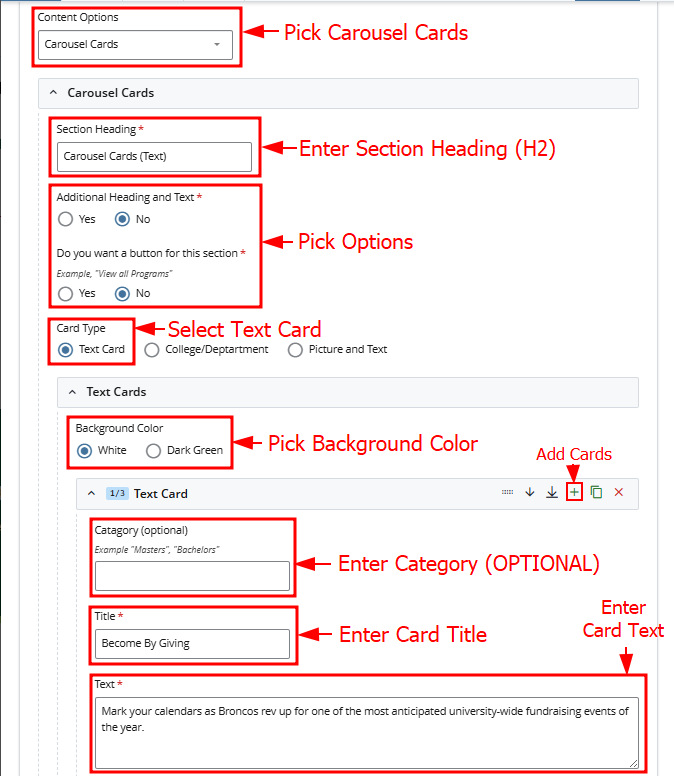
- Content Options: Pick Carousel Cards
- Section Heading: Enter Section Heading
- Additional Heading and Text: Pick Yes or No
- Do you want a button for this section: Pick yes or No
- Card Type: Select Text Card
- Text Cards:
- Background Color: Choose White or Dark Green
- Plus Button: Add Cards
- Category (Optional): Enter Category
- Title: Enter Card Title
- Text: Enter Card Text
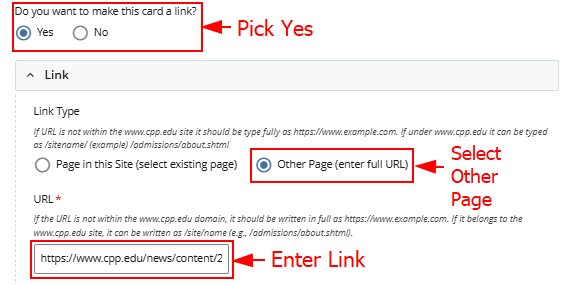
Link Option 1
Instructions:
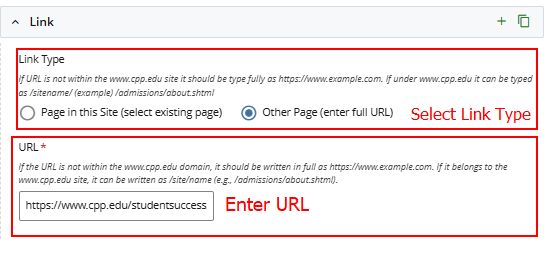
- Do you want to make this card a link?: Pick Yes
- Link Type: Select Other Page
- URL: Enter URL
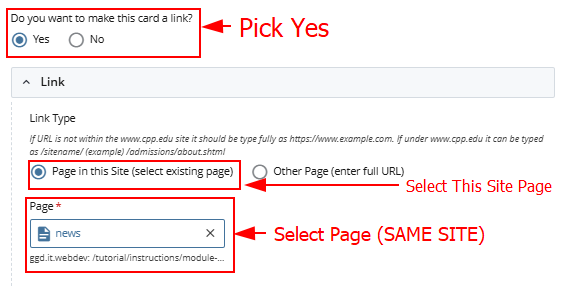
Link Option 2
Instructions:
- Do you want to make this card a link?: Pick Yes
- Link Type: Select Page in this Site
- Page: Select Page. It must be from the same site.
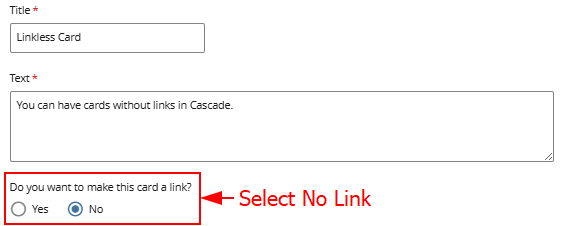
No Link
Instructions:
- Do you want to make this card a link?: Pick No
Page View
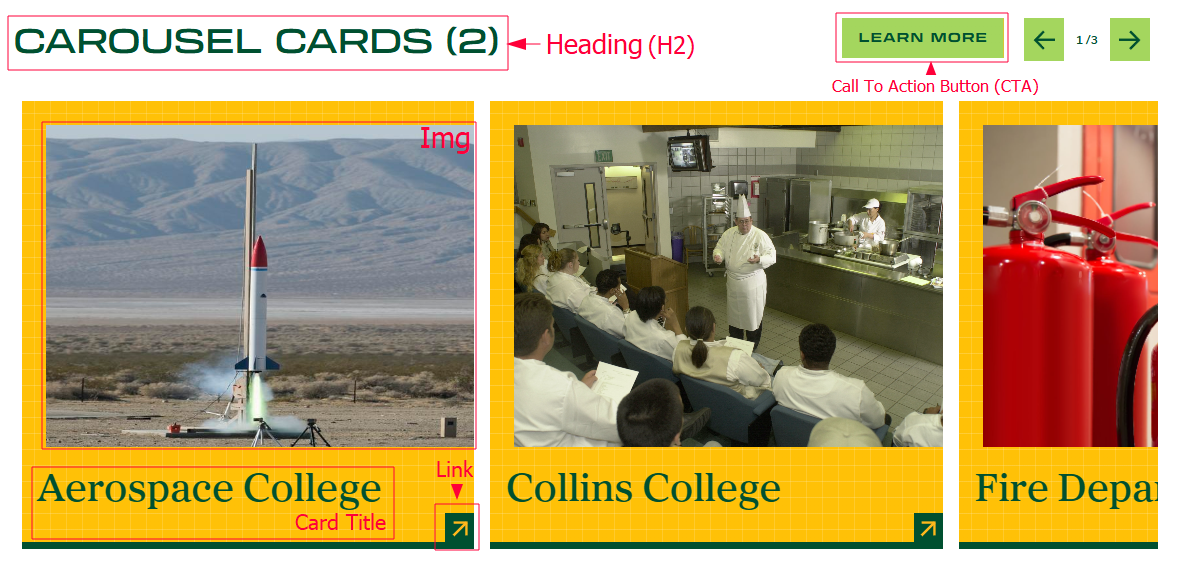
For this section you will need:
- Heading (H2)
- Card Titles + Images
- Card Links (Optional)
- CTA Button + Link (Optional)
Cascade View
Instructions:
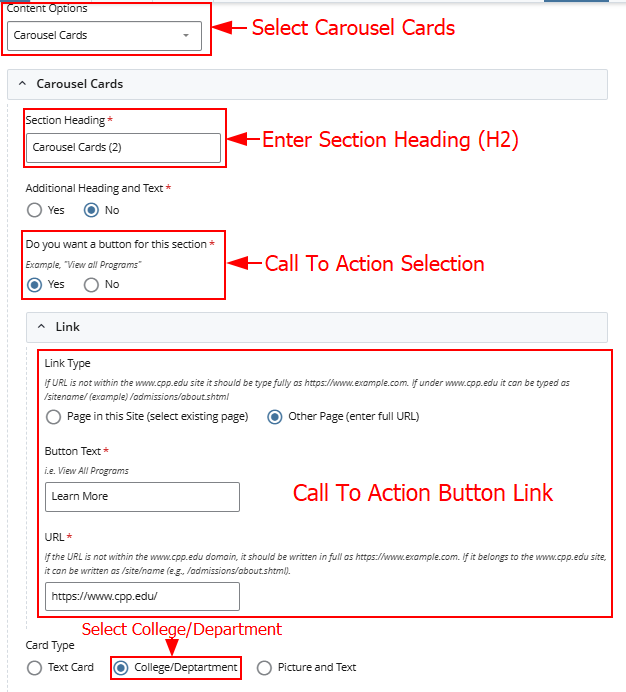
- Content Options: Pick Carousel Cards
- Section Heading: Enter Section Heading
- Additional Heading and Text: Pick Yes or No
- Do you want a button for this section: (Call to Action Selection) Pick Yes or No
- Call to Action Button Link: Fill out link information
- Card Type: Select College/Department
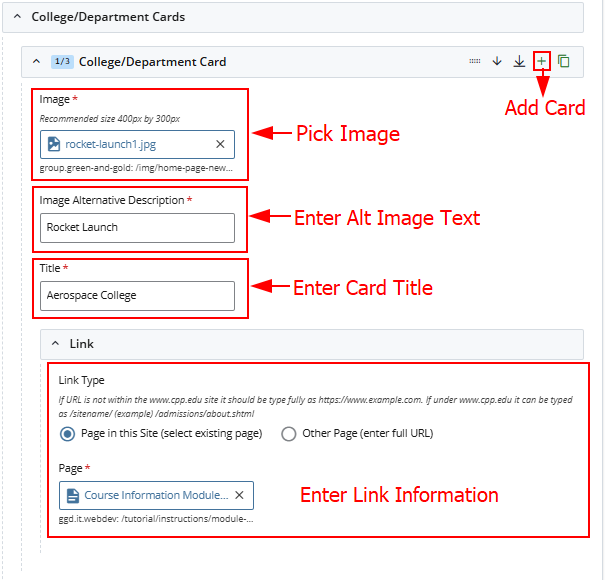
- College/Department Cards:
- Plus Button: Add Card
- Image: Pick Image
- Image Alt Description: Add Image Alt Text
- Title: Enter Card Title
- Link: Enter Link Information
Page View
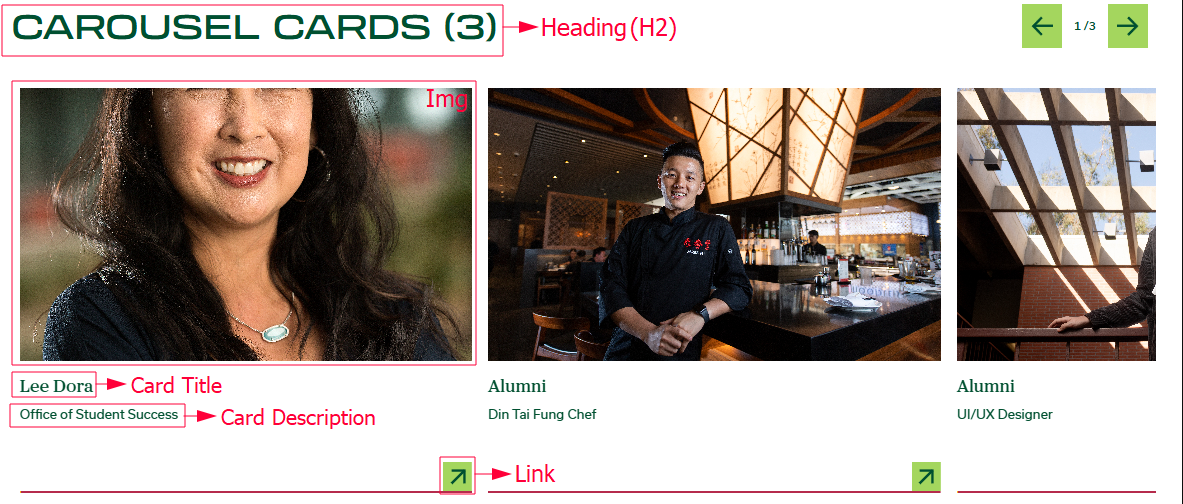
For this section you will need:
- Heading (H2)
- Card Titles + Images + Descriptions
- Card Links (Optional)
- CTA Button + Link (Optional)
Cascade View
Instructions:
- Content Options: Pick Carousel Cards
- Section Heading: Enter Section Heading
- Additional Heading and Text: Pick Yes or No
- Do you want a button for this section: (Call to Action Selection) Pick Yes or No
- Card Type: Select Picture and Text
- Picture and Text Cards:
- Plus Button: Add Card
- Image: Pick Image
- Image Alt Description: Add Image Alt Text
- Title: Enter Card Title
- Text: Enter Card Text
- Link: Enter Link Information