Website Review Training
Overview
This guide outlines the new Website Review Process. By following the pre-review and website review procedures, publishers can ensure a successful website review and launch.
For this section, publishers will learn how to:
- Submit a website review request
- Complete the Pre-Review Process
- Complete the Review Process, including (in no specific order):
- Editorial Review
- ATI Review
- Technical Review
- Complete the Launch Process
Website Review
Learn about each step in the Website Review Process
Fill out the Website Review Form. (Note: This form can only be accessed by staff and faculty with publisher status. Student assistants CANNOT access the form.)
Required Items:
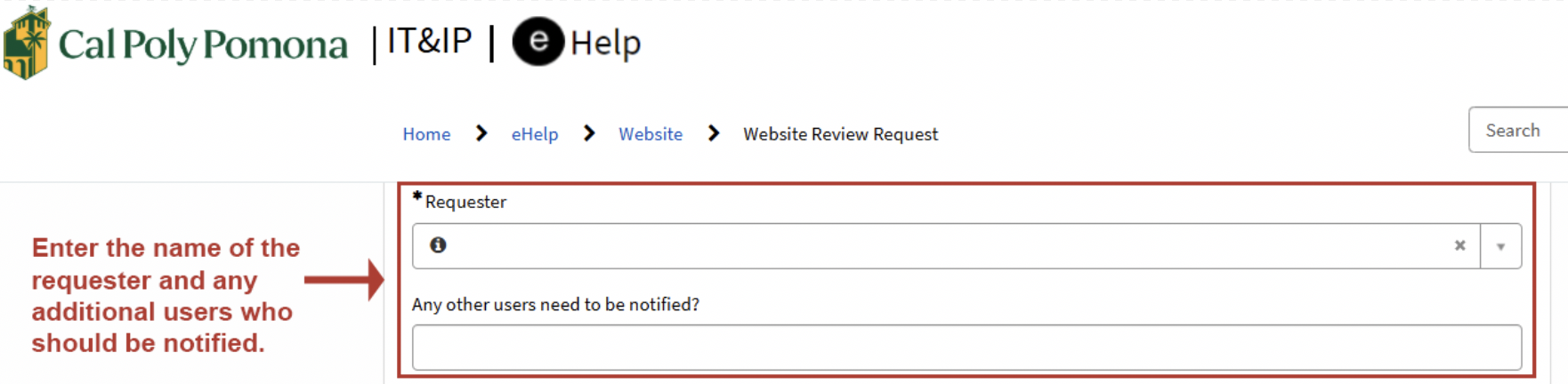
1. Requester Name
Enter the name of the requester and the names of other users who need to be notified during the Website Review Process.
2. Site URL
Enter the URL of the website to be reviewed and launched. Please submit one website per form.
A subsite (example: ggc.cba.tom) has to be submitted independently. If the main site (example: ggc.cba) is submitted, the subsites will not be tested.
NOTE: Sometimes the Cascade site name does not reflect the web URL. Please use the URL to submit (example: https://www.cpp.edu/cba/technology-and-operations-management/)

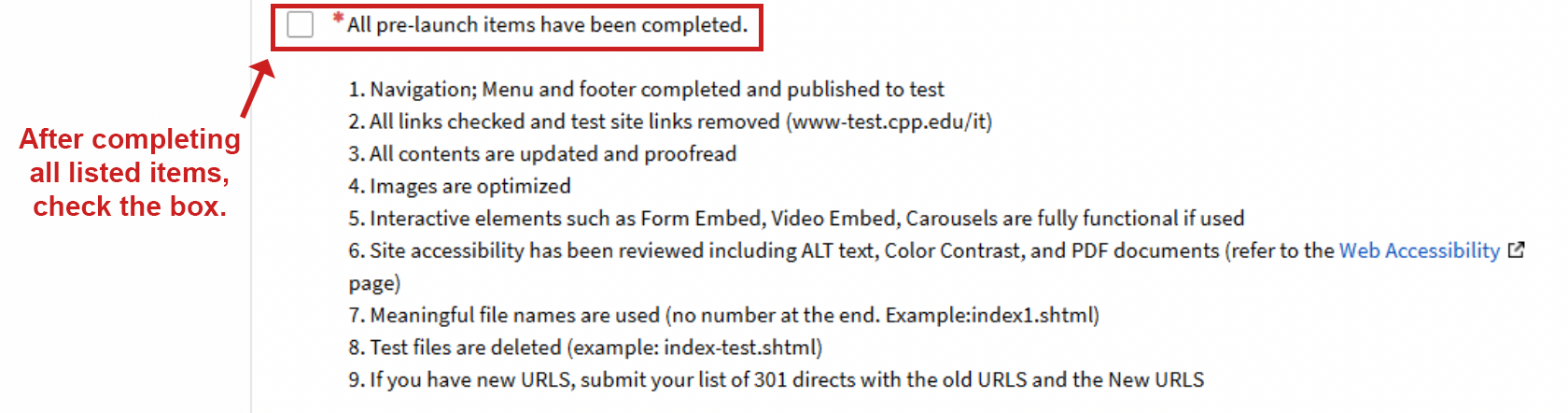
3. Pre-launch Item Checkbox
Carefully review each pre-launch item and verify that all required steps have been completed. Check the box after confirming everything is complete.
For more details, refer to the pre-launch checklist.
4. Confirmation Emails
After submitting the form, the publisher and all notified users will receive two confirmation emails from the CPP Service Desk.
- REQXXXXX Assigned to you - Web > Other - Website Review Request - www.cpp.edu/<Your website>
- [IT at CPP] - Request a review and launch for a new Cascade website - RITMXXXXX
REQ number is the parent request ticket that holds all sub-tickets (RITMs).
The first RITM you receive is a pre-review task. Please save all REQ & RITM numbers.
Please refer to the screenshots below for a sample.
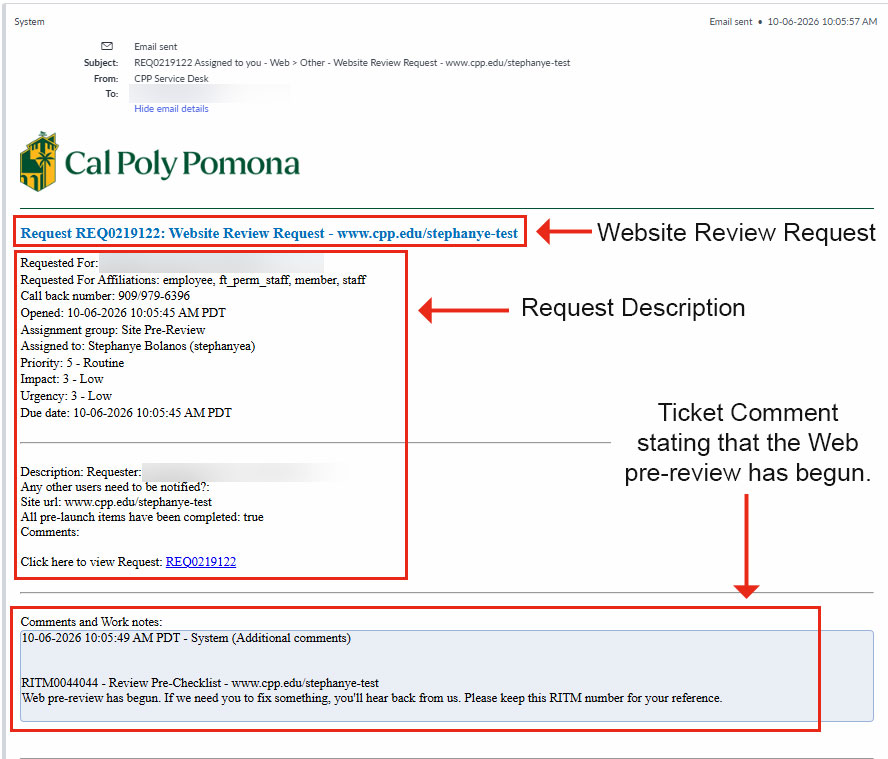
The email describes the Website Review Request. At the bottom, a ticket comment states that the Web Pre-Review has begun.
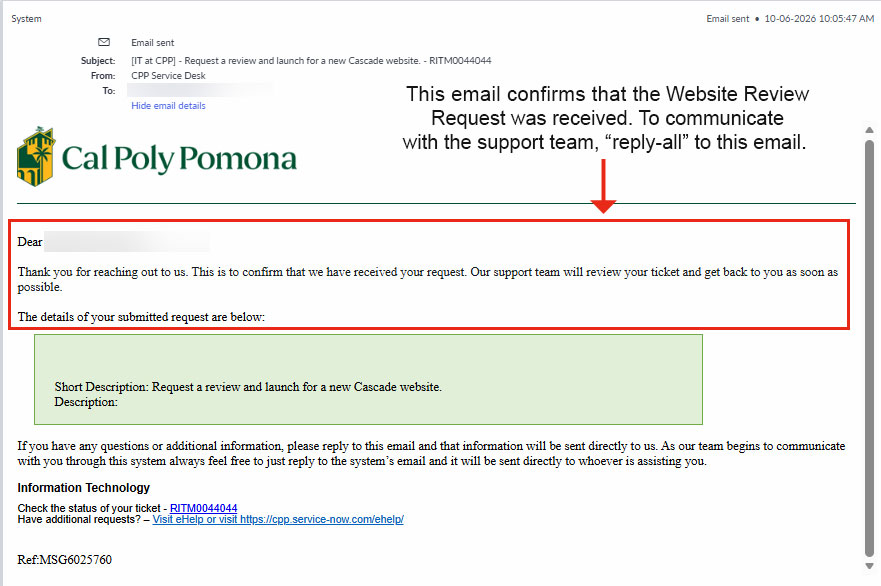
The website will now progress into the Pre-Review Stage. Monitor for new emails with the associated REQ or RITM numbers in the subject line.
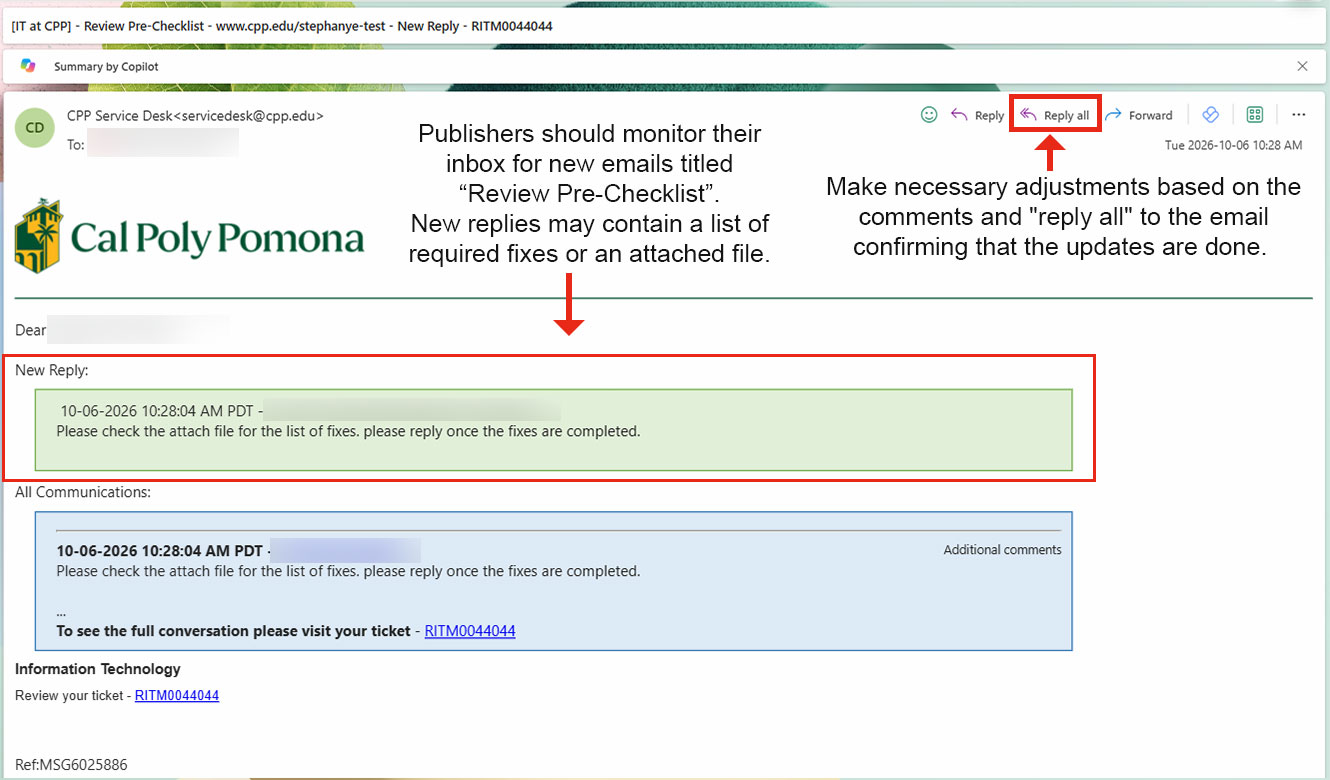
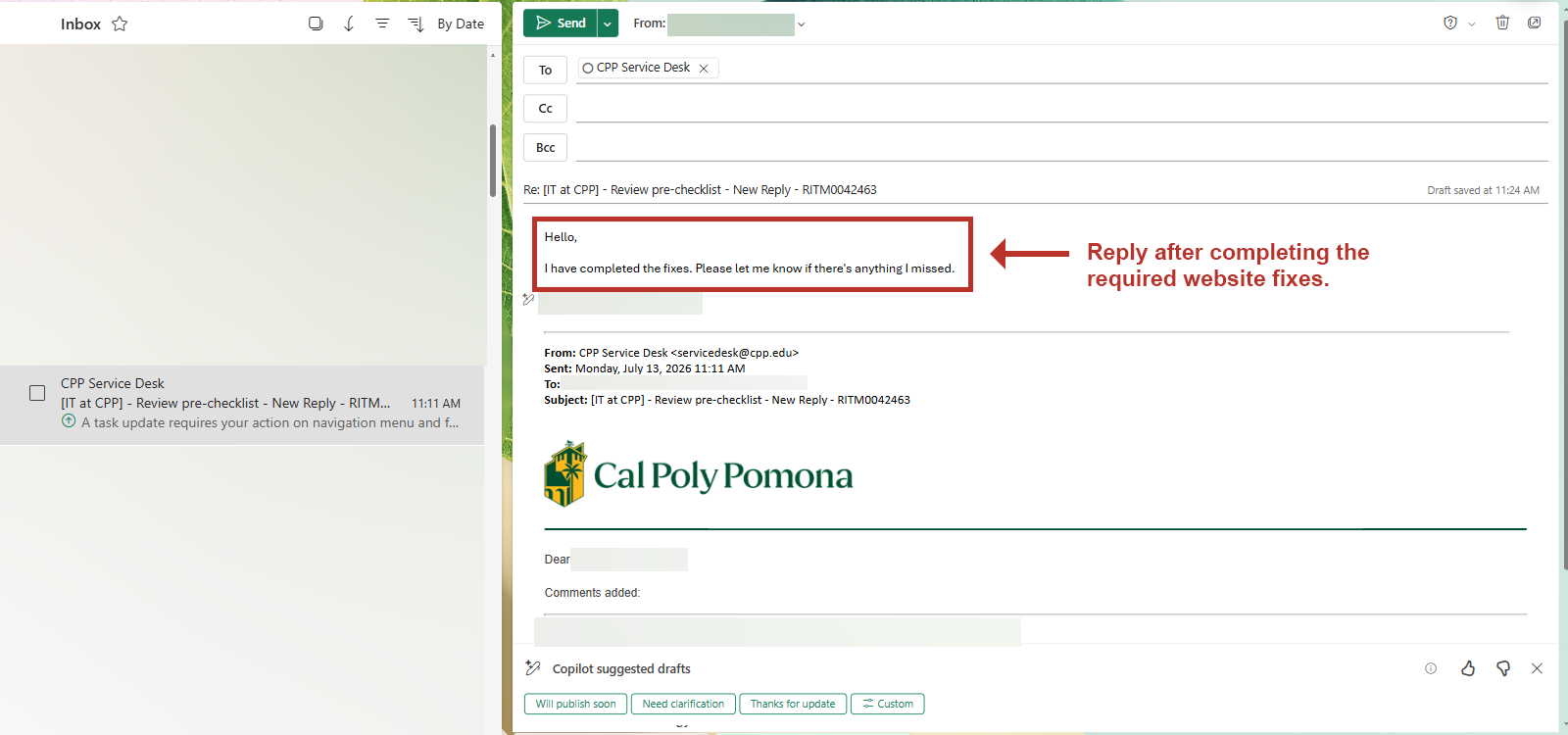
Once the Pre-review request is received, the pre-review team will start reviewing the site. If any issues are identified, the pre-review team will comment on the ticket, and publishers will receive email notifications outlining the required website revisions.
The email subject line will state: [IT at CPP] - Review Pre-Checklist - www.cpp.edu/<Your website> New Reply - RITMXXXXX
Publishers will then need to make necessary adjustments based on the comments and "reply all" to the email, confirming that the updates are done. Should they have any questions about the correction request, they should "reply all" with the questions.
Please refer to the screenshots below for a sample email format.
After all corrections are completed, publishers will receive an email notifying that the Review Pre-Checklist RITMXXXXX is closed.
The email subject line will state: [IT at CPP] - Review Pre-Checklist - www.cpp.edu/<Your Website> - Closed - RITM0044044
The REQXXXXX will now move on to the Website Review Process.
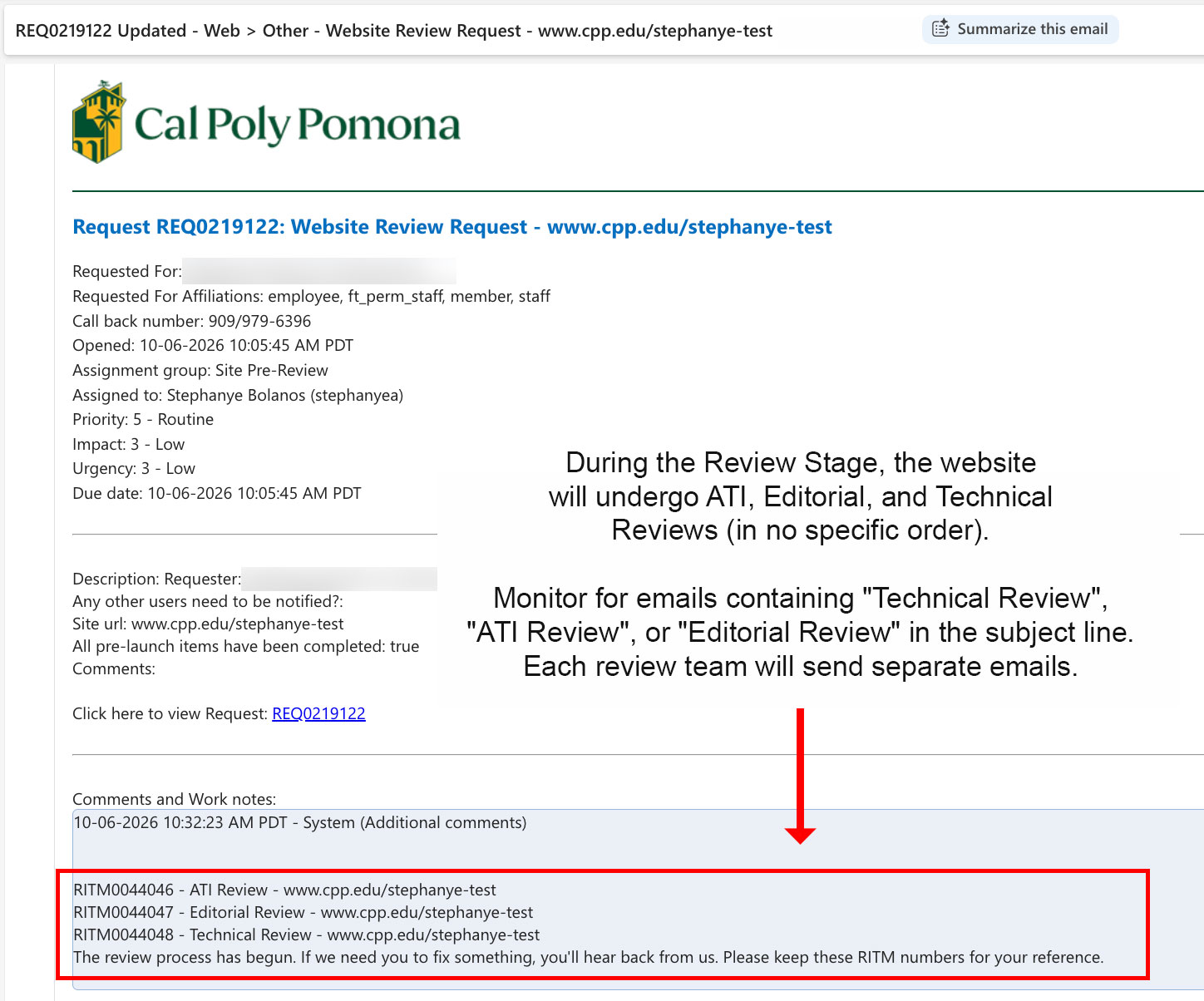
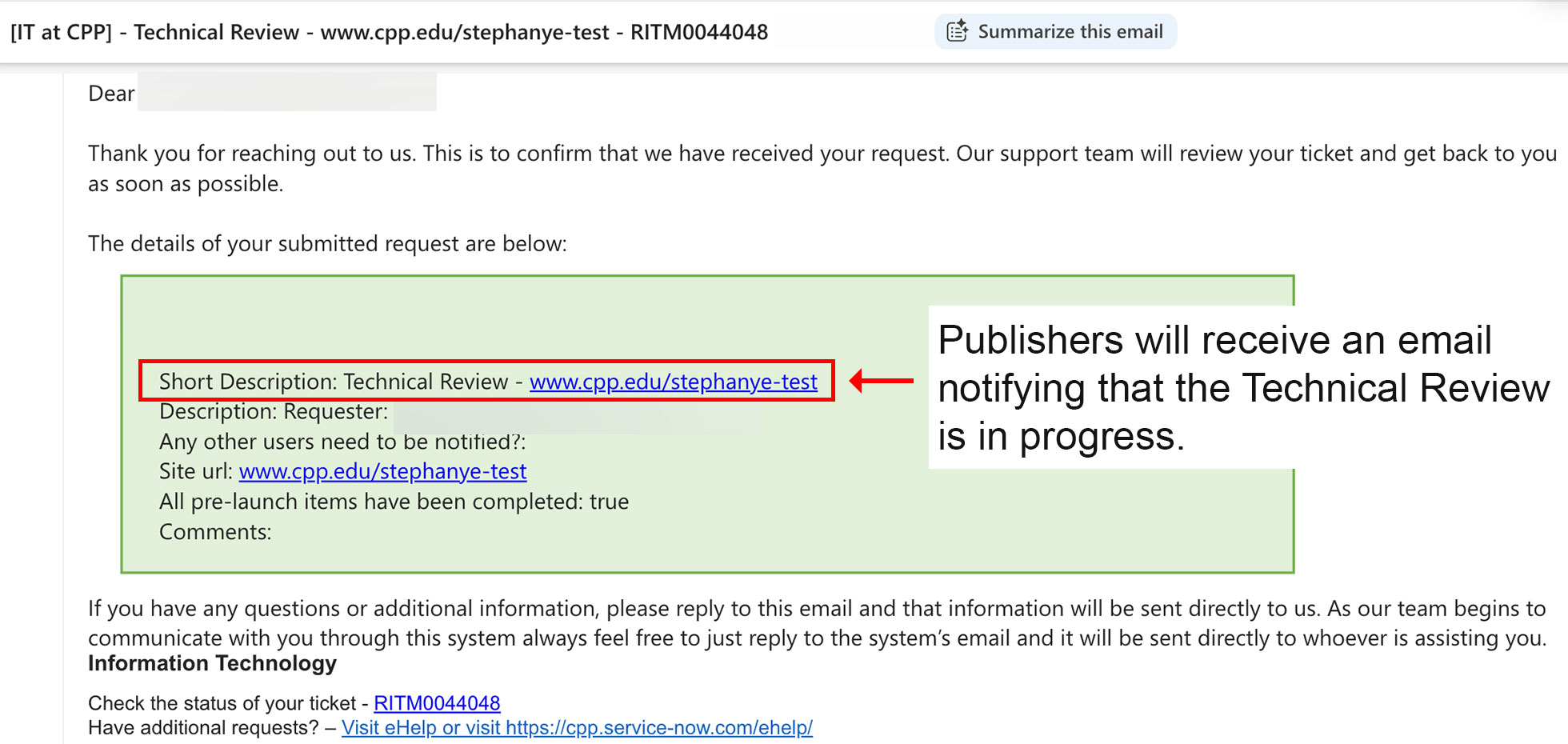
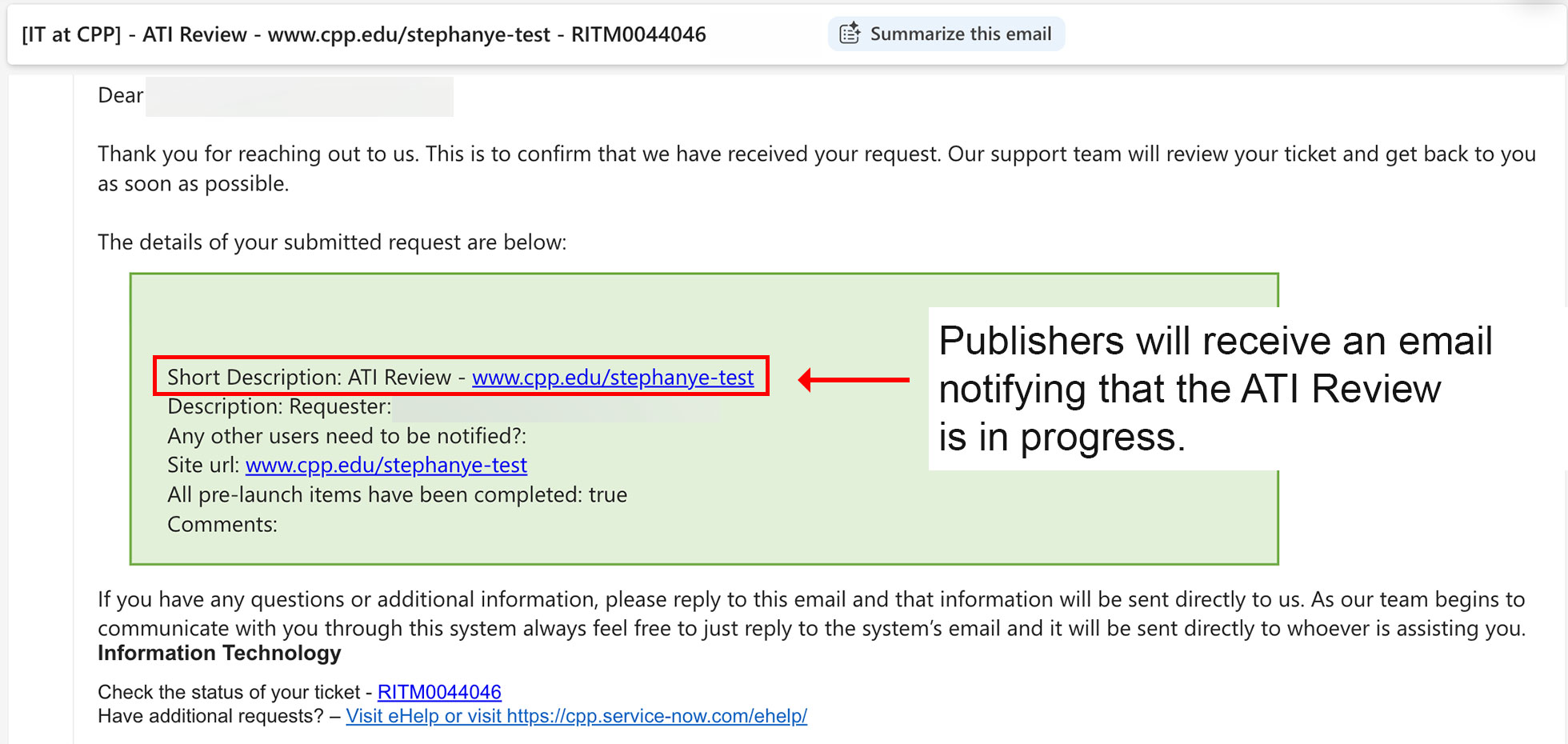
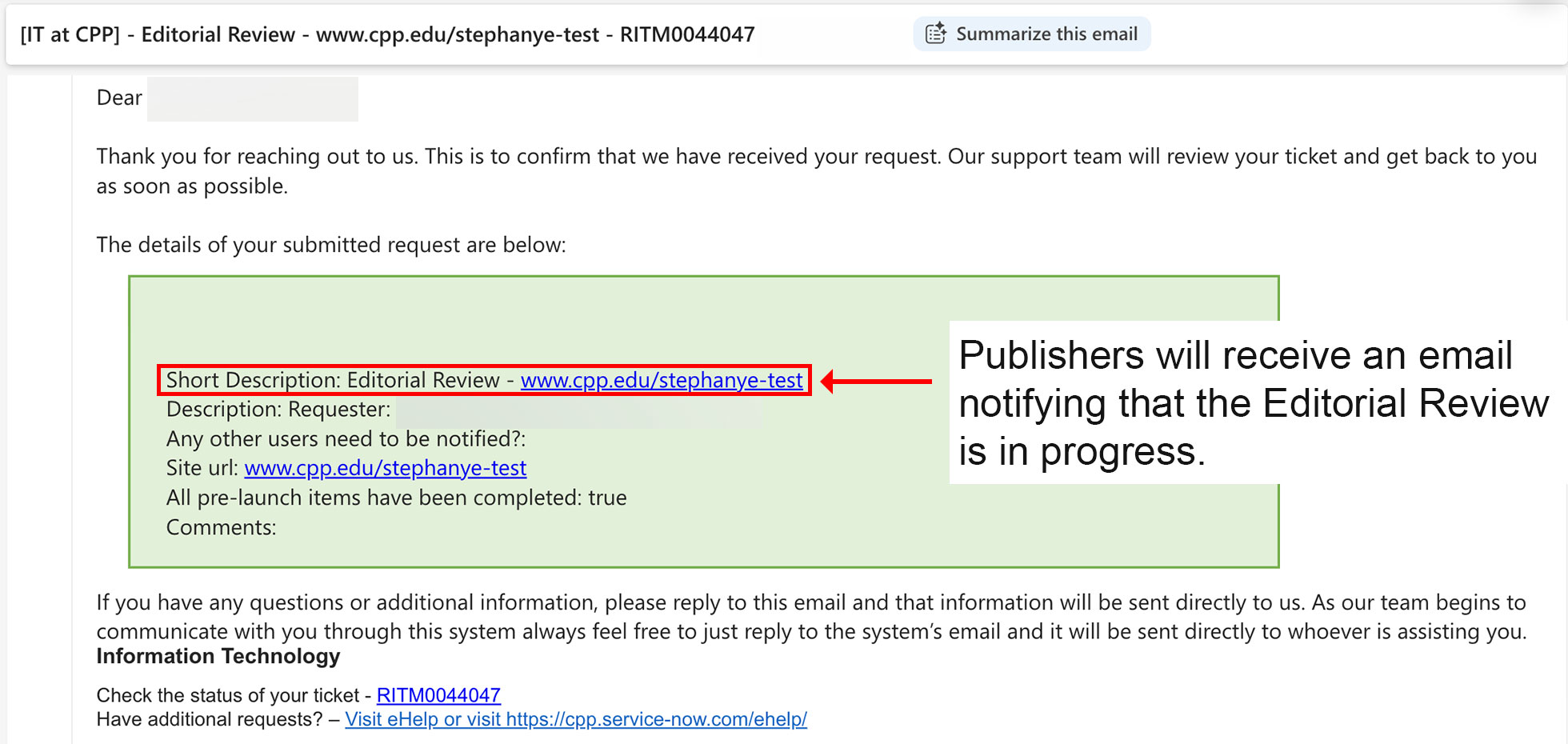
After the Pre-Review is completed, the website is ready for the ATI, Editorial, and Technical Review Process. These reviews will start simultaneously in no specific order. Publishers will receive 4 new emails from the CPP Service Desk, confirming the Review Process has begun.
The email subject lines will state:
- REQXXXXX Updated - Web > Other - Website Review Request - www.cpp.edu/<Your website>
- [IT at CPP] Technical Review - www.cpp.edu/<Your website> - RITM00YYYYY
- [IT at CPP] ATI Review - www.cpp.edu/<Your website> - RITM00ZZZZZ
- [IT at CPP] Editorial Review - www.cpp.edu/<Your website> - RITM00VVVVV
The first email will include three new RITM numbers, one for each review team: ATI, Editorial/Strat Com, and the Technical/Web Team.
Monitor for emails containing "Technical Review," "ATI Review," or "Editorial Review" in the subject line. Each review team will send separate emails containing the required corrections. As with the Pre-review process, "Reply All" to the email for all communication.
NOTE: There will be cases where the corrections will be sent via attachment/shared files. It will be shared in detail in each ticket.
Please refer to the email screenshots below for a sample.
After all three Web Reviews are completed, the website is ready for the Launch Process.
The publisher's job is done, and no further action is necessary from the publishers at this point. The sites that are in the launch process will be added to the site launch queue.
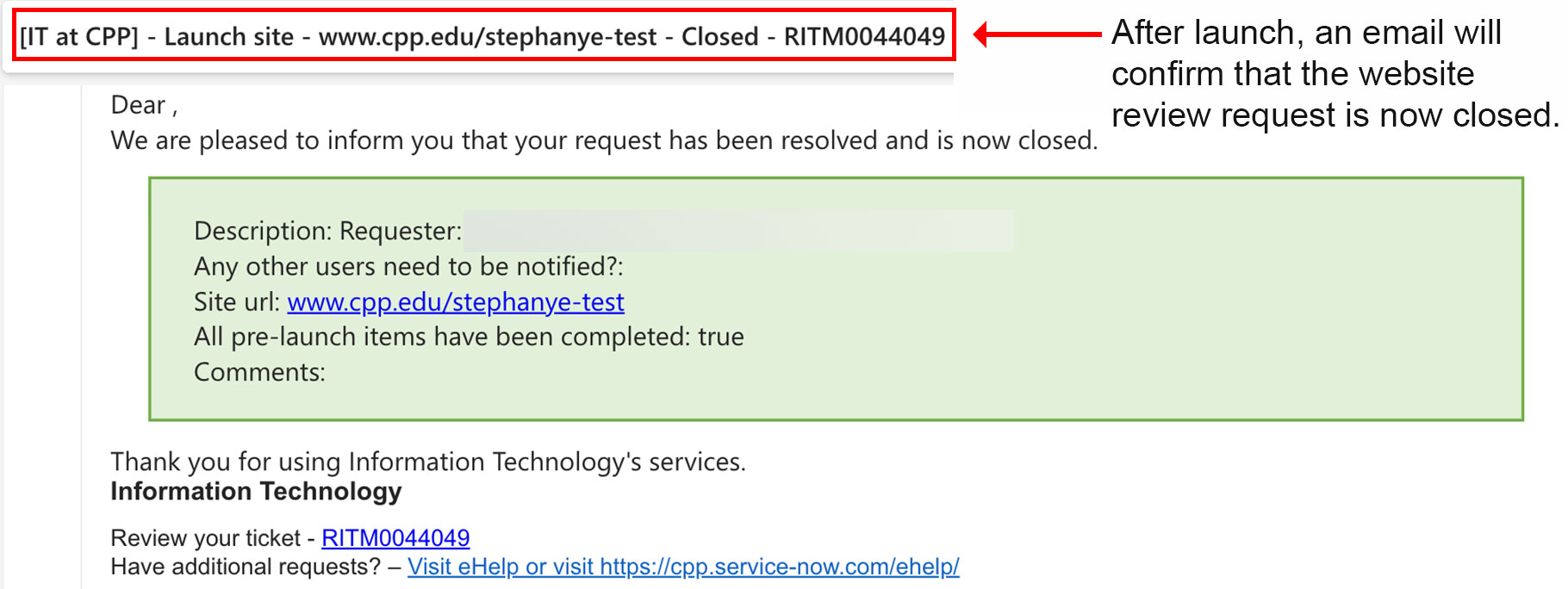
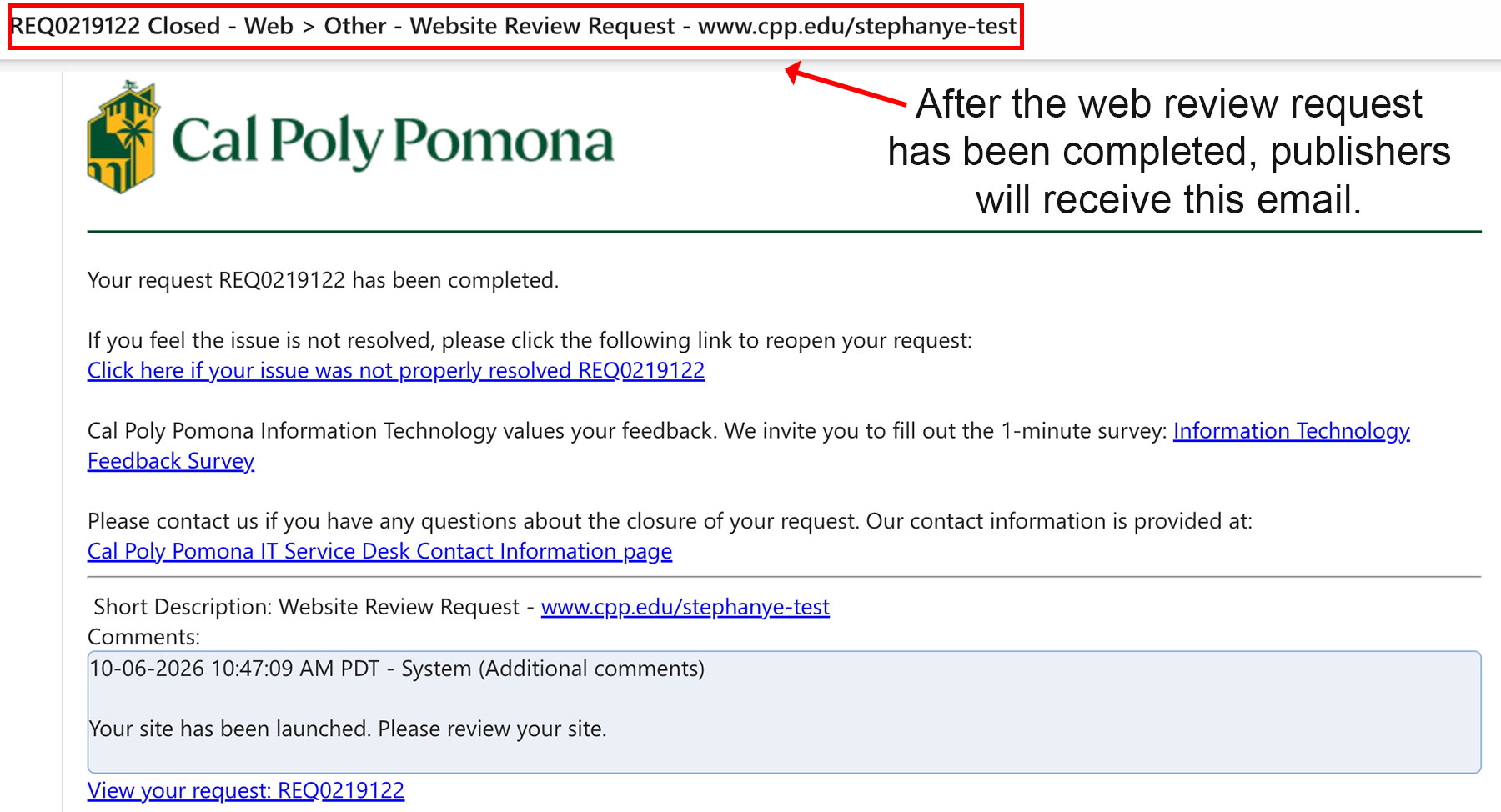
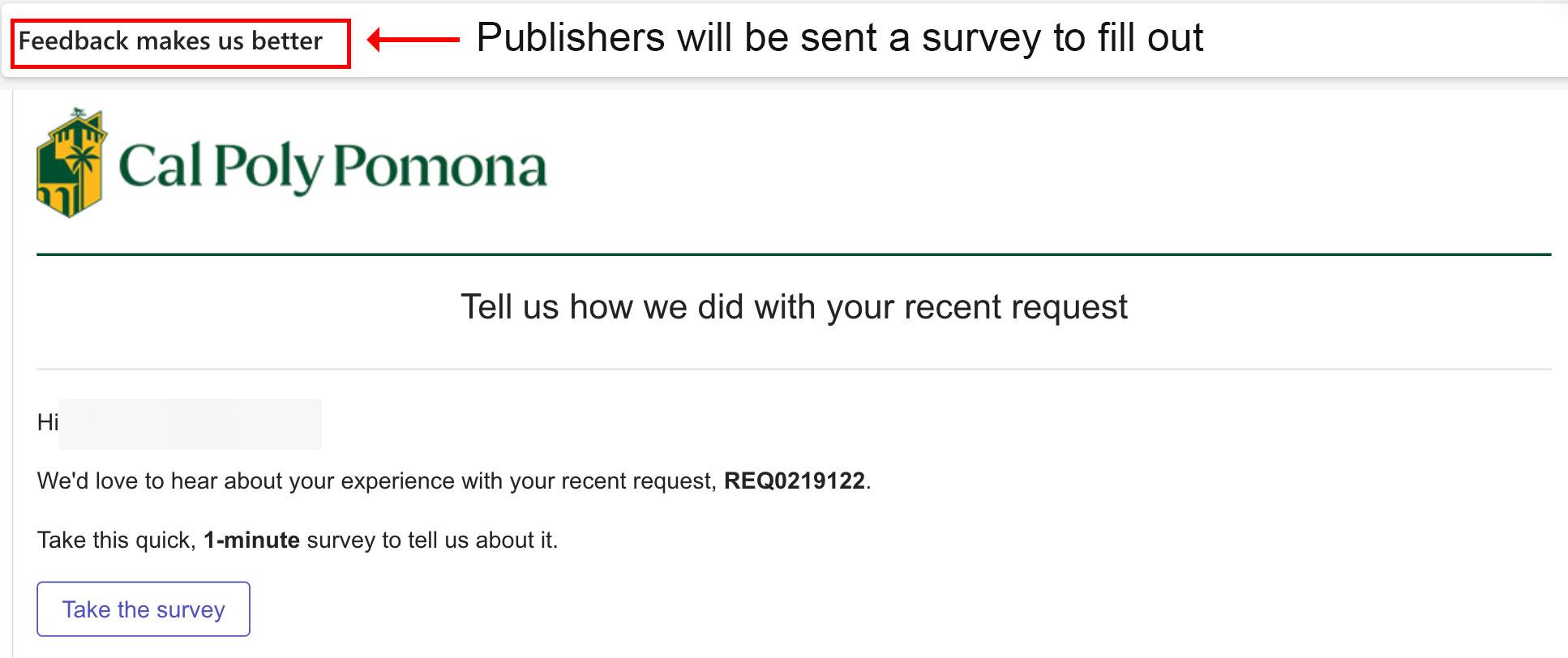
Once the website is launched (published), 3 emails will be sent to the publishers.
1. [IT at CPP] - Launch site - www.cpp.edu/<your website> - Closed - RITMWWWWW
2. REQXXXXX Closed - Web > Other - Website Review Request - www.cpp.edu/<your website>
3. Feedback makes us better
Please refer to the email screenshots below for a sample.
After receiving the following emails, review the website in the browser to verify that all pages, links, and functionality are working properly.