Classroom Options


Tier 1: Starting at $25,000
Basic Lecture or Lab
This design focuses on a traditional teaching structure with students positioned in high-density rows. The main objective with this instructional model is conveying information in a one-dimensional manner to a larger audience with minimal interaction.
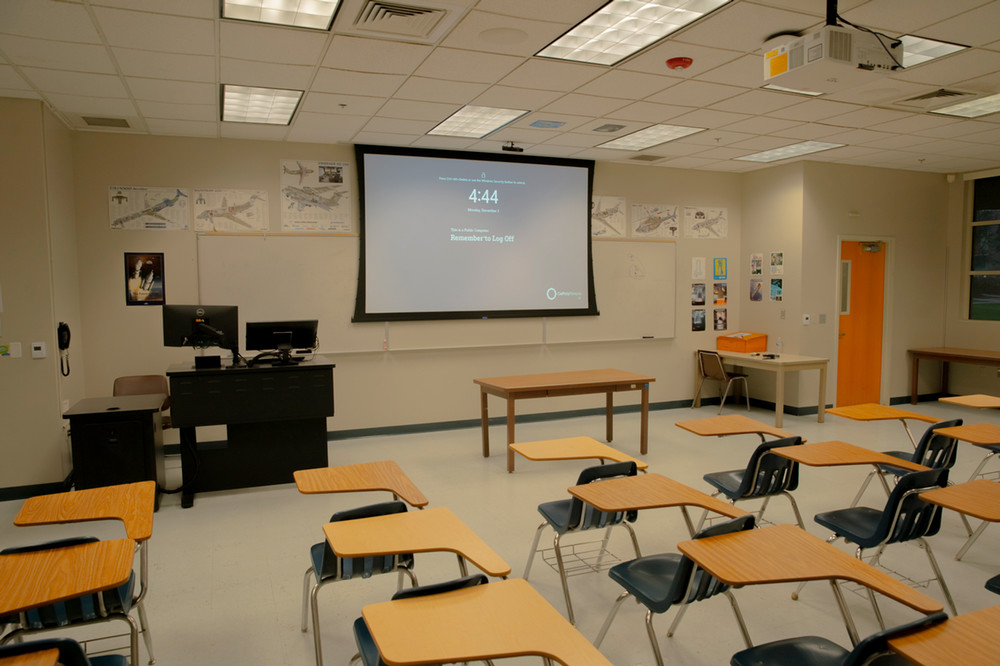
What is included in Basic rooms?
Basic layouts consist of a single project, projector screen or display board, standard campus computer, desk-mounted speakers, and laptop connections. Video signals are controlled using either a dedicated remote, four-button switcher, or both.
Projectors are the standard display for all classrooms as the need for visibility from the closest student to the one furthest away from the screen in crucial to a functioning design.
Display boards are often only found in smaller classrooms with short-throw projectors. Since these types of displays are typically smaller in size than their ceiling-mounted counter-parts, these devices are limited to smaller locations, or those with multiple focus areas that eliminates the need for a single large-format device.
All Basic rooms come with at least (1) HDMI connection with an adapter ring that allows for the connectivity of personal laptops to display on the classroom projector. The adapter ring is periodically updated as common connection standards change over time.
Since basic room configurations are most commonly found in normal or smaller classrooms, a dedicated audio device may only be found in a select few rooms.
Given the control limitations of this configuration, any room that requires audio will have a simple set of desktop-mounted speakers connected directly to the PC for presentations and video content only.
Projector screens can be brought down down using a wall-mounted controller, projectors turned on with a dedicated remote control.
Switching between displaying the classroom computer and a personal laptop is done using the projectors controller, but some basic rooms may have a simple four-channel switcher installed that handles input-switching normally located at the instructor station.
Tier 2: Starting at $57,000
Standard Lecture or Lab
Design focuses on instruction styles similar to the traditional model outlined in the Basic room option but with additional technology that integrated every room function in one place.
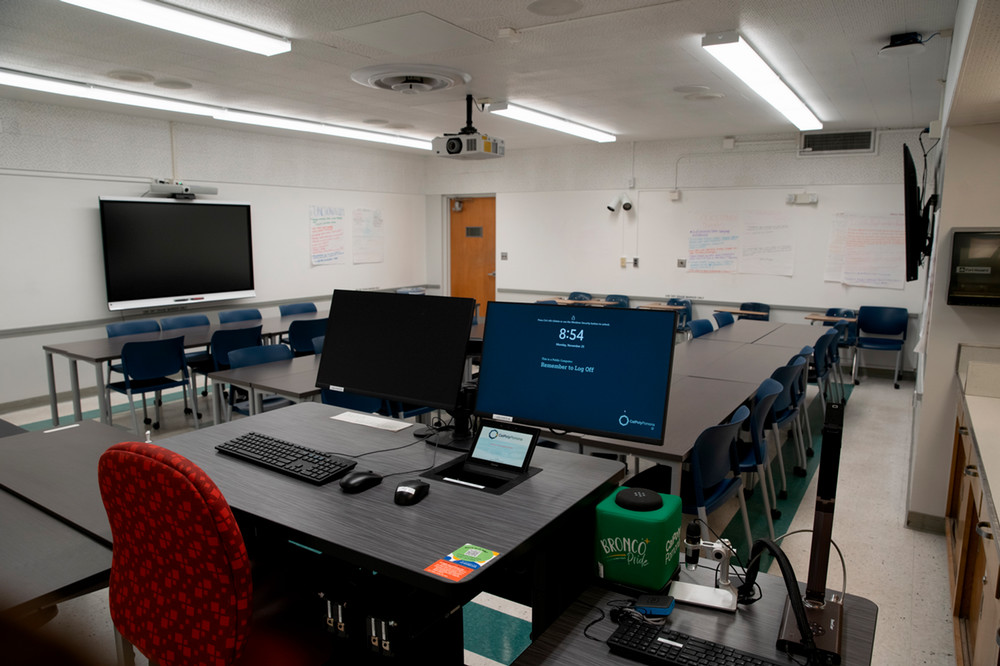
What is included in Standard rooms?
Standard layouts consist of a single projector, projector screen or display board, standard campus computer, wall or ceiling mounted speakers, physical laptop connections, wireless presentation capabilities, and a document camera. All of these devices are routed to the instructor station and are controlled using a dedicated touch panel that can be tailor-programmed per room configuration.
Projectors are the standard display for all classrooms as the need for visibility from the closest student to the one furthest away from the screen in crucial to a functioning design.
Display boards are often only found in smaller classrooms with short-throw projectors. Since these types of displays are typically smaller in size than their ceiling-mounted counter-parts, these devices are limited to smaller locations, or those with multiple focus areas that eliminates the need for a single large-format device.
For productivity, all standard room instructor stations have two monitors allowing you to work as you normally would while also viewing the projector feed without needing to turn back. Alternatively, you can request to have all of the display behave independently for multi-tasking.
All Standard rooms come with at least (1) HDMI connection with an adapter ring that allows for the connectivity of personal laptops to display on the classroom projector. The adapter ring is periodically updated as common connection standards change over time.
Wireless presentation is another standard implementation where multiple people can connect to a single display simultaneously, in some cases individual pods can also be arranged to allow this function across the room instead of just a single area.
All Standard rooms have a speaker system built-into the room that is either installed beside the projector screen or in the ceiling depending on the room constraints.
Everything within a Standard room is controlled via a button or touch panel located on the instructor station. That includes audio volume, projector video mute, and even storing of the screen. Some rooms will have redundancies where the projector screen can also be stored using a wall-mounted controller like with Basic rooms.
Tier 3: Starting at $78,000
Active Learning Spaces
Designed with mobility in mind, active learning spaces are defined by a teaching style that encourages proactive student participation, prioritizing engagement above all else. This is a two-way information exchange that differentiates itself from the typical on-way lecture-based model by catering both the furniture and technology across the classroom allowing for break-out activities, room discussions, simulations, and experiments.
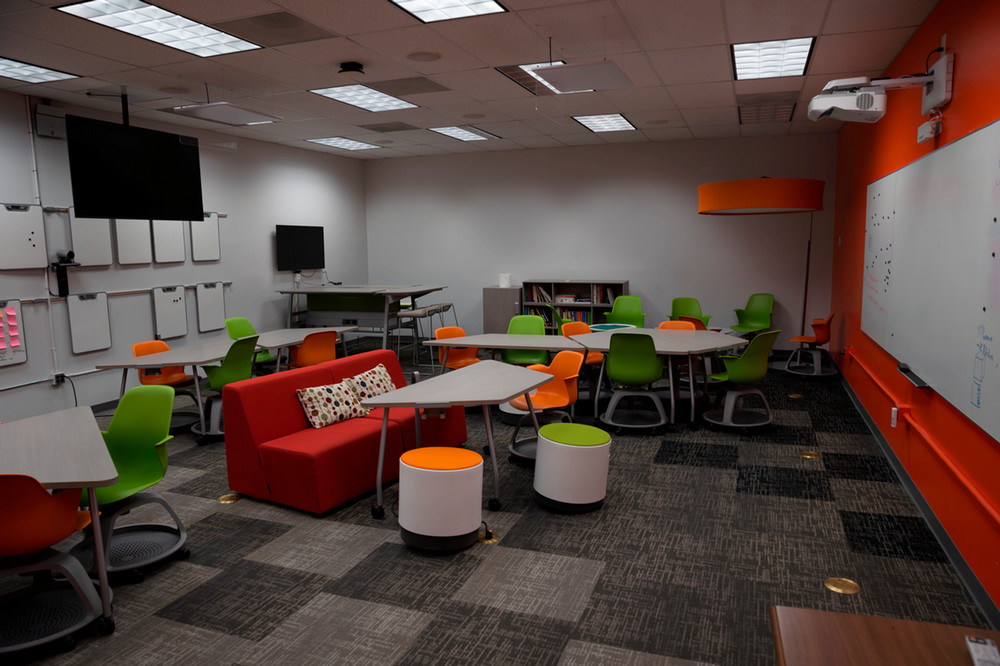
What is included in Active Learning rooms?
Active Learning layouts are all purpose-built and include all of the same technology and central integrations from standard layouts but multiplied across the room so instruction isn't limited to just one location.
Depending on the design, the amount of displays for Active Learning spaces can vary but generally speaking two to three are placed in different areas of the room to increase visibility in certain larger rooms like labs, or provide alcoves to students participating in group activities where they can display their own content on a larger area and share to their classmates.
All Active Learning spaces come with at least (1) HDMI connection with an adapter ring that allows for the connectivity of personal laptops to display on the classroom projector. The adapter ring is periodically updated as common connection standards change over time.
Depending on the layout, multiple connections can be made available for students to take control of specific displays. Instructor Station controls will always be programmed to override every display as necessary.
Wireless presentation is another standard implementation where multiple people can connect to a single display simultaneously, in some cases individual pods can also be arranged to allow this function across the room instead of just a single area.
Similar to Standard Rooms, those designed with Active Learning in mind will contain integrated audio systems. Based on the need this may allow for audio from multiple sources or just from the instructor station.
All active learning spaces will have the same control structure as Standard rooms, but can have additional controls for specific functions in certain areas to encourage mobility within the space.
Tier 4: Starting at $112,000
HyFlex Spaces
Hybrid-Flexible or "HyFlex" courses employ a student-centered teaching method that combines in-class instruction, online synchronous/live video streaming, and asynchronous/recorded content. With this structure, instructors can deliver their classes in traditional classrooms, but students may attend in person, participate synchronously through video conferencing, or watch recordings of the class sessions at their convenience.
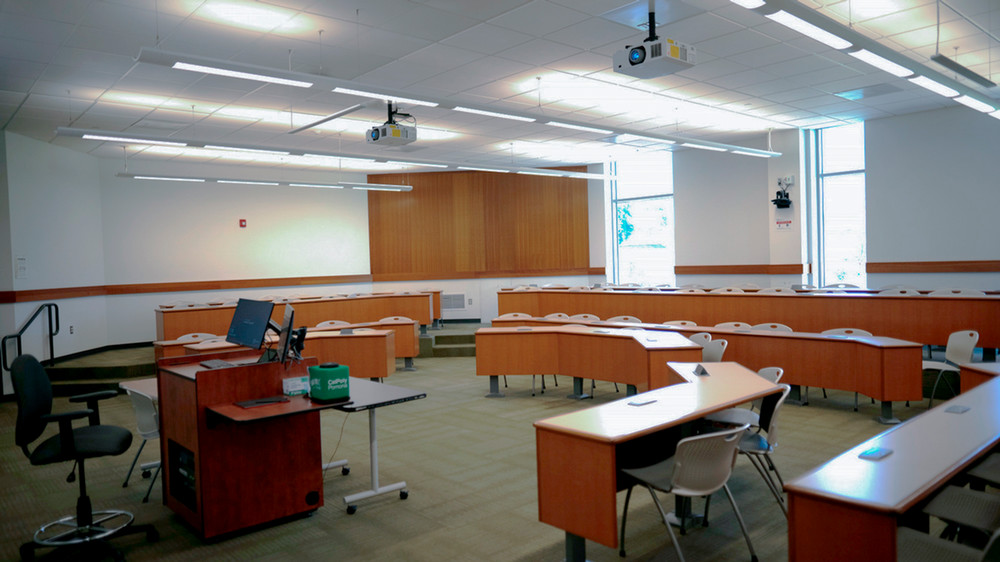
What is included in HyFlex rooms?
HyFlex designs incorporate ceiling microphones and an auto-tracking video camera in the back of the room to capture the presenter, an online persistence display for remote participants, and room acoustics for sound reinforcement. This capability can be treated as an addition to any of the previously mentioned formats.
The amount of displays included in a HyFlex space is really up to you. The need of the expected course structure is ultimately what dictates the design which can be built off of Standard or Active Learning foundations.
All standard inclusions apply here. Physical and wireless connectivity is inherently part of the HyFlex design ethos and requirements will vary from room to room.
As with Standard and Actively Learning spaces, their audio systems will follow along to HyFlex with the addition of integrated room microphones for the presenter and classroom participants so that the coversation flow between those in-person and those remote remains consistent throughout a lecture.
All HyFlex spaces utilize a touch panel to control every technological room function from the instructor station. This includes screens, projectors, audio input and outputs, even the auto-tracking camera in the event you just want to land it on a preset that focuses on a particular area of the room.