Phishing Fraud & Scam Prevention
Phishing Fraud & Scams
Phishing (fraudulent emails, texts, and messages) is a common and ongoing threat that affects all organizations, including our campus. Attackers often send short, urgent messages during busy times to make scams seem legitimate and harder to spot.
Current scams include short emails and/or text messages with unrecognizable links related to employment, cancelled accounts, missed payments, etc.
Prevention Tips
- Do not click links in unexpected or unsolicited emails or text messages. Verify the legitimacy of web sites and email addresses before acting. Verify sender or information using official known contact methods outside of what is provided within an email or text.
- Be suspicious of requests for your personal information. Do not share personal information in response to any unexpected email, text or phone call.
- Pause before you pay. Scammers love to provide a sense of urgency to trick us into paying. Never wire money directly. Don’t provide payment using gift cards. Banks will not contact you via email to verify your account information.
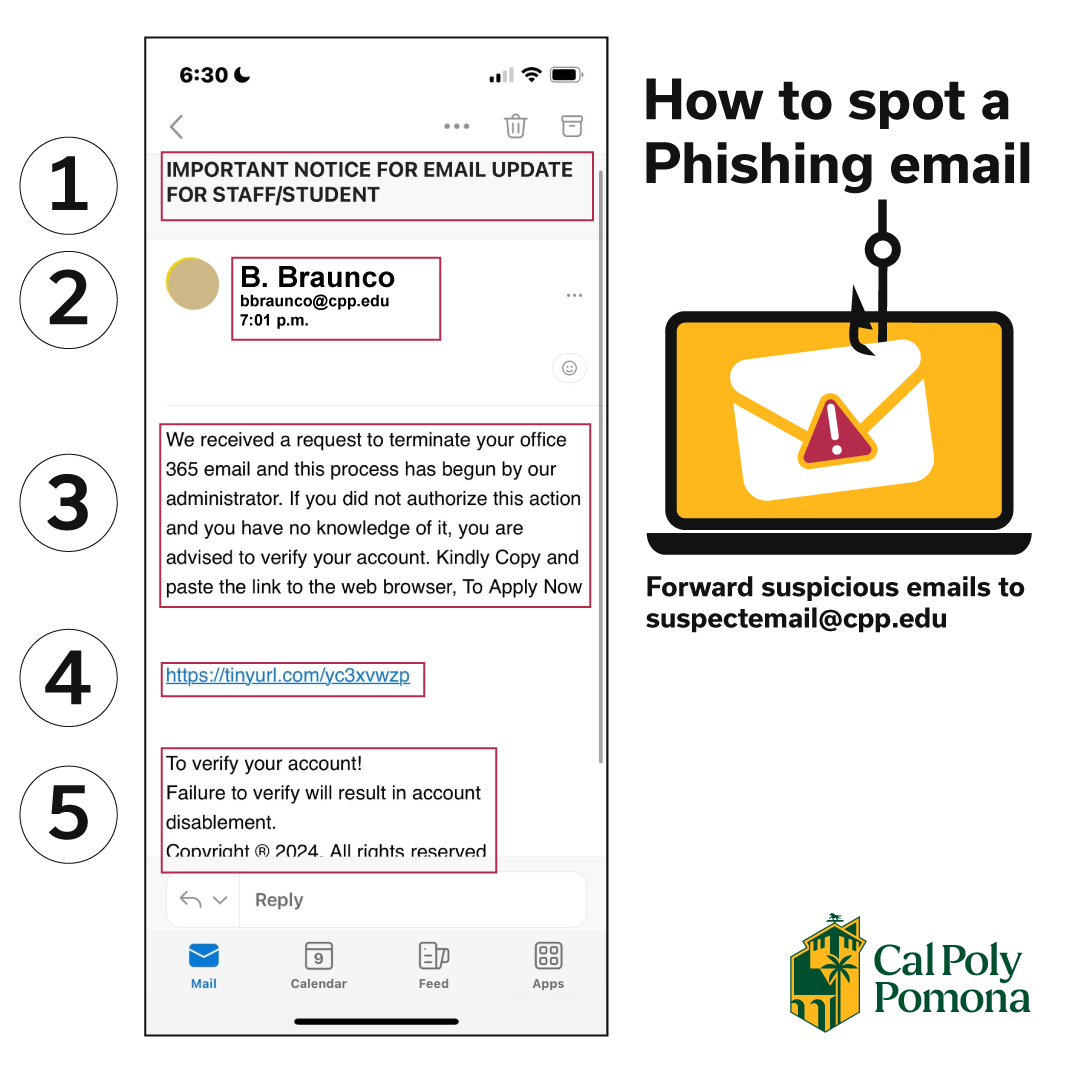
Think Before You Click:
- If you receive a suspicious email, forward it to suspectemail@cpp.edu and/or identify it as phishing/spam using Microsoft Outlook (web, mobile or desktop)
- Never provide your BroncoPassword on ANY web form, email or text. Only you should have access to your account.
- Important: CPP staff and faculty will NEVER ask you for your Bronco credentials, password, or MFA authorization. Any email, even when from a cpp.edu address, asking for this information is likely a phishing attempt.
- Never approve a Duo Multi-Factor Authentication (MFA) prompt you didn’t initiate or don’t recognize.
- Important: CPP staff and faculty will NEVER ask you to authorize MFA access or verify your account. Any email or text message, even when from a cpp.edu address, asking for your login credentials or to authorize MFA is likely a phishing attempt.
- Verify the sender. Verify the sender without using the links or phone numbers within the email. Use an Internet search of the company name, department, and/or sender. Use Bronco411 to verify the CPP sender's identity and if the request is appropriate.
If You Feel at Risk,
- Change your BroncoPassword immediately within MyCPP or eHelp.
- If you provided personal identifying information or financial information, contact your financial institutions.
- Verify there are no fraudulent changes to your financial accounts, including CPP banking information.
- Contact the CPP IT Service Desk or campus Information Security Officer (ciso@cpp.edu)
- Contact University Police or your local police department if you are a victim of a crime.